
1. Sản phẩm hếtview
The ADATA HD710 Pro is a ruggedized 1TB external hard drive designed for extreme mobile data protection. It features a durable, triple-layered construction that makes it waterproof, dustproof, and military-grade shockproof. This device is ideal for users requiring robust storage on the go, compatible with Mac, PC, and Linux systems.
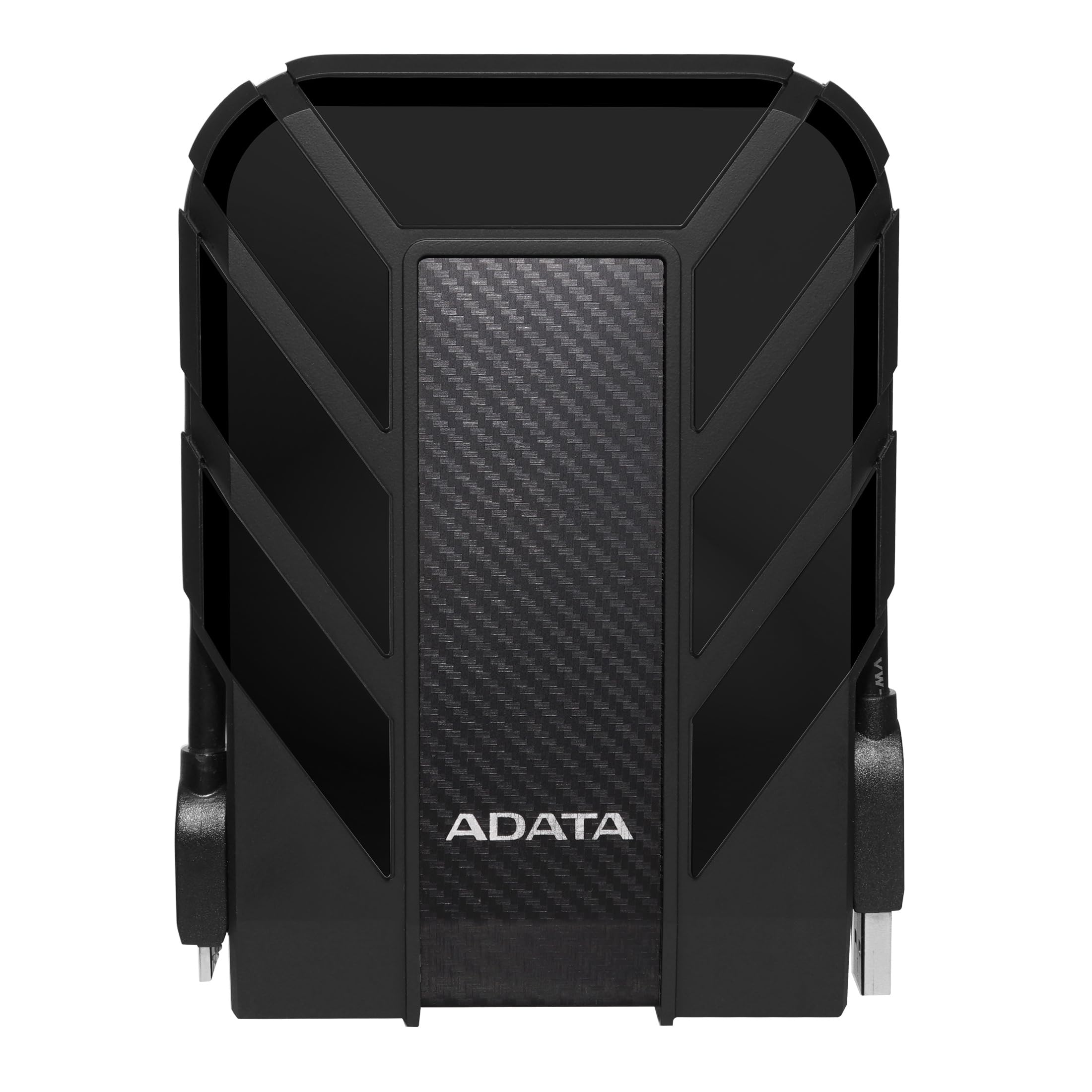
Figure 1: ADATA HD710 Pro 1TB External Hard Drive (Black)
2. Các tính năng chính
- IP68 Waterproof and IP6X Dustproof: Certified to exceed stringent International Electrotechnical Commission (IEC) standards, offering protection against water immersion and total dust ingress.
- Military-Grade Shockproof (MIL-STD-810G 516.6): Designed to withstand drops from up to 1.5 meters, ensuring data safety even in challenging environments.
- Triple-Layered Protection: Features a tough silicone outer layer, a shock-absorbing buffer, and a robust plastic shell for enhanced durability.
- Giao diện USB 3.1: Provides ultra-fast data transfer rates of up to 5 gigabits per second.
- Quản lý cáp tích hợp: A convenient groove around the drive allows for neat storage of the USB cable, preventing loss and tangles.
- Không cần nguồn điện bên ngoài: Powered directly via the USB connection, enhancing portability.

Figure 2: Illustration of the HD710 Pro's triple-layered protective design.
3. Thiết lập
- Giải nén thiết bị: Carefully remove the ADATA HD710 Pro from its packaging.
- Locate the USB Cable: The integrated USB 3.1 cable is wrapped around the drive's casing. Gently unwrap it.
- Kết nối với máy tính: Plug the USB connector into an available USB port on your computer (PC, Mac, or Linux). For optimal performance, use a USB 3.0/3.1 port.
- Nhận dạng ban đầu: Your operating system should automatically detect the drive. A blue LED indicator on the drive will illuminate, signifying power and activity.
- Formatting (If Needed): The drive comes pre-formatted for general use. If you encounter issues or wish to change the file system (e.g., for specific operating system compatibility or larger file support), you may need to format the drive. Refer to your operating system's documentation for instructions on how to format an external drive. Warning: Formatting will erase all data on the drive. Back up any important files trước khi tiếp tục.

Figure 3: The HD710 Pro is compatible with PC, Mac, and Linux systems.
4. Hoạt động
- Truy cập ổ đĩa: Once connected and recognized, the drive will appear as a removable storage device in your computer's file explorer (Windows), Finder (macOS), or file manager (Linux).
- Chuyển giao Files: Bạn có thể kéo và thả files or folders to and from the HD710 Pro just like any other storage device.
- Đẩy ra an toàn: To prevent data corruption, always safely eject the drive before disconnecting it.
- Cửa sổ: Nhấp chuột phải vào biểu tượng ổ đĩa trong 'Máy tính này' hoặc khay hệ thống và chọn 'Tháo ổ'.
- hệ điều hành Mac: Kéo biểu tượng ổ đĩa vào Thùng rác, hoặc nhấp vào nút Tháo ổ đĩa bên cạnh tên ổ đĩa trong Finder.
- Linux: Right-click the drive icon in your file Trình quản lý và chọn 'Eject' hoặc 'Unmount'.
- Đèn báo LED: The blue LED light indicates the drive's status:
- Xanh dương: Ổ cứng đang được bật và ở chế độ chờ.
- Nhấp nháy màu xanh: Quá trình truyền dữ liệu đang được tiến hành.
Video 1: Một kết thúcview of the ADATA External Hard Drive, demonstrating its features and usage.
5. Bảo trì
- Keep Ports Sealed: Ensure the rubber flap covering the USB port is securely closed when the drive is not in use to maintain its waterproof and dustproof integrity.
- Làm sạch nhẹ nhàng: Use a soft, dry cloth to clean the exterior of the drive. Avoid harsh chemicals or abrasive materials.
- Tránh những điều kiện khắc nghiệt: While rugged, prolonged exposure to extreme temperatures, direct sunlight, or corrosive substances should be avoided.
- Xử lý cẩn thận: Despite its shockproof design, avoid intentionally dropping or subjecting the drive to excessive force.

Figure 4: The HD710 Pro offers IP68 waterproof, IP6X dustproof, and military-grade shock resistance.
KHAI THÁC. Xử lý sự cố
- Ổ đĩa không được nhận dạng:
- Hãy đảm bảo cáp USB được kết nối chắc chắn với cả ổ cứng và máy tính.
- Thử kết nối với một cổng USB khác trên máy tính của bạn.
- Kiểm tra ổ đĩa trên một máy tính khác để loại trừ sự cố liên quan đến máy tính.
- Check your computer's Disk Management (Windows) or Disk Utility (macOS) to see if the drive is detected but unformatted or has a partition issue.
- Tốc độ truyền chậm:
- Ensure you are using a USB 3.0/3.1 port on your computer for maximum speed. Connecting to a USB 2.0 port will result in slower speeds.
- Hãy kiểm tra xem trình điều khiển (driver) của máy tính bạn đã được cập nhật chưa.
- Số lượng lớn của nhỏ files can transfer slower than fewer large files.
- Hư hỏng dữ liệu:
- Always safely eject the drive before disconnecting to prevent data loss or corruption.
- If data corruption occurs, data recovery software may be an option, but success is not guaranteed.
7. Thông số kỹ thuật
| Tính năng | Chi tiết |
|---|---|
| Dung lượng lưu trữ kỹ thuật số | 1 TB |
| Giao diện đĩa cứng | USB 3.2 |
| Công nghệ kết nối | USB |
| Thương hiệu | DỮ LIỆU |
| Tính năng đặc biệt | Cầm tay |
| Yếu tố hình thức ổ cứng | 2.5 inch |
| Mô tả ổ cứng | Đĩa cứng cơ |
| Thiết bị tương thích | máy tính xách tay, máy tính |
| Loại cài đặt | Ổ cứng ngoài |
| Màu sắc | BLACK PRO |
| Các tính năng bổ sung | Cầm tay |
| Tốc độ quay của ổ cứng | 5400 vòng/phút |
| Sử dụng cụ thể cho sản phẩm | personal, gaming, business |
| Tốc độ đọc | 90 Megabyte mỗi giây |
| Tốc độ phương tiện | 90 Megabyte mỗi giây |
| Cache Memory Installed Size | 1 |
| Tốc độ truyền dữ liệu | 5000 Megabit mỗi giây |
| Yếu tố hình thức | Cầm tay |
| Kết nối phần cứng | USB 3.0 |
| Vật liệu bao vây | Nhôm |
| Số hiệu mẫu | AHD710P-1TU31-CBK |
| Phương tiện tích hợp | External HDD, Quick start guide |
| Tên mẫu | HD 710 chuyên nghiệp |
| Nhà sản xuất | DỮ LIỆU |
| Số nhận dạng thương mại toàn cầu | 04713218460394 |
| Tên loại mặt hàng | ADATA USB 3.1 IP68 Waterproof/Shockproof/Dustproof Ruggedized External Hard Drive, Black (AHD710P-1TU31-CBK) |
| Mô tả bảo hành | Bảo hành 3 năm |
| Xếp hạng bán chạy nhất | #35 in External Hard Drives |
| ASIN | B0744NWZTM |
| Hard-Drive Size | 1000GB |
| Trọng lượng sản phẩm | 9.6 ounce |
| Item Dimensions L x W x Thickness | Dài 5.2" x Rộng 3.8" x Cao 0.8" |
| Số lượng mặt hàng | 1 |
| Đơn vị đếm | 1.0 Đếm |
| Loại gói khách hàng | Bao bì tiêu chuẩn |
8. Bảo hành
The ADATA HD710 Pro comes with a Bảo hành có giới hạn 3 năm. This warranty covers defects in materials and workmanship under normal use. For specific terms and conditions, please refer to the official ADATA webtrang web hoặc thẻ bảo hành đi kèm với sản phẩm của bạn.
9. Hỗ trợ
For further assistance, technical support, or to download the latest drivers and software, please visit the official ADATA webđịa điểm:
You may also find helpful resources and FAQs on the ADATA support pages.