
Giới thiệu
This manual provides essential information for the safe and efficient use of your Nextech USB Type-C 2.0 Fast Sync & Charge Cable (Model NC66). This cable is designed for fast charging and data syncing with a wide range of USB-C compatible devices. It supports up to 3A fast charging and data transfer speeds of 480Mbps. The cable features a durable construction, a reversible USB-C connector for easy use, and built-in protection against overcharging.
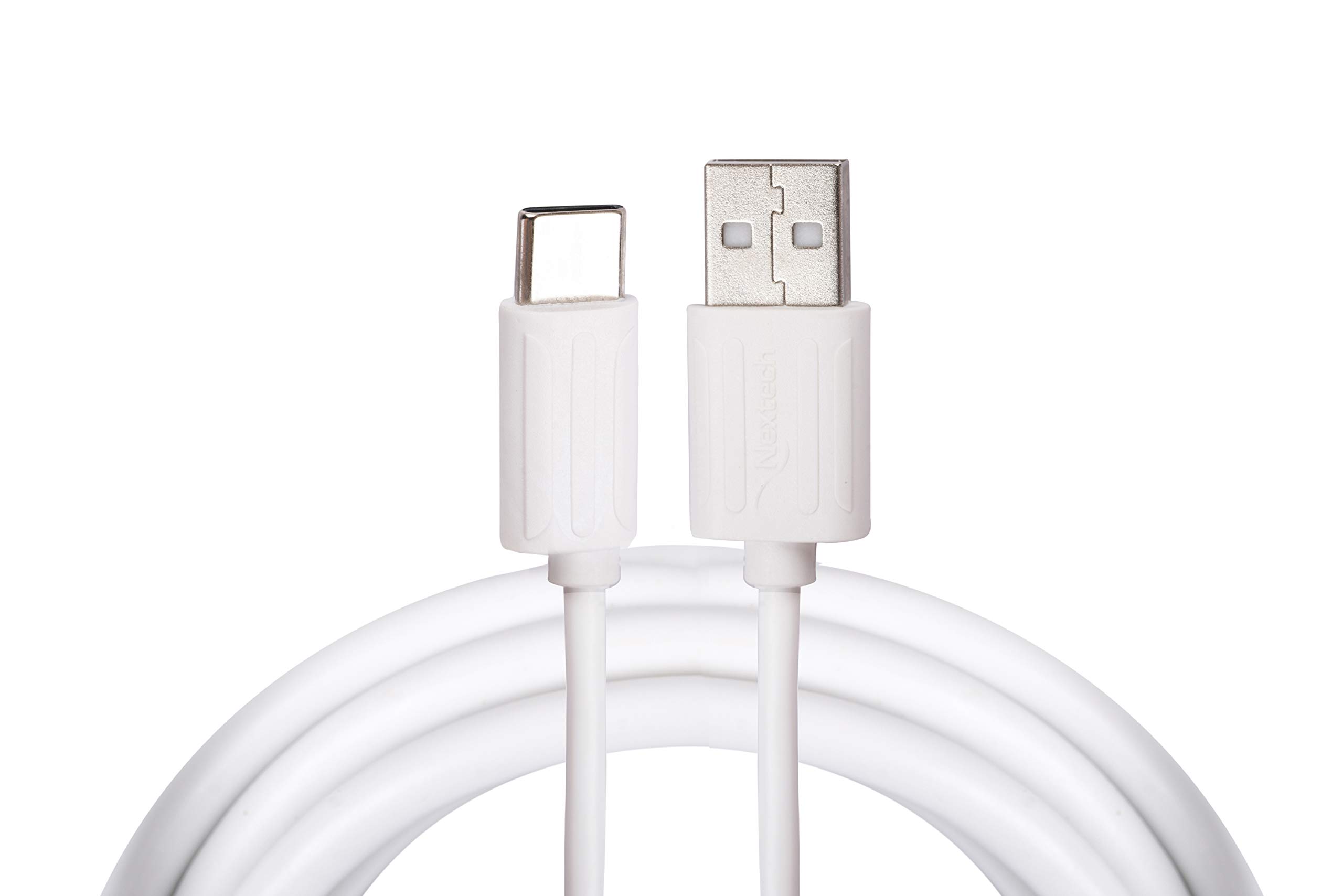
This image displays the Nextech USB Type-C 2.0 Fast Sync & Charge Cable, highlighting its USB Type-A connector on one end and the reversible USB Type-C connector on the other. The cable is white.
Cài đặt
Follow these steps to connect your Nextech USB Type-C cable:
- Xác định các cổng: Locate the USB Type-A port on your power adapter, computer, or power bank. Identify the USB Type-C port on your smartphone, tablet, or laptop.
- Kết nối với nguồn điện/máy tính: Insert the USB Type-A connector of the cable firmly into the corresponding USB Type-A port on your power source or computer.
- Kết nối với thiết bị: Insert the USB Type-C connector of the cable firmly into your device's USB Type-C port. The reversible design of the USB-C connector allows it to be plugged in either orientation.

Một chi tiết view of the Nextech cable's connectors, showing the USB Type-A plug and the USB Type-C plug. This illustrates the design for connecting to various devices and power sources.
Hướng dẫn sử dụng
Once connected, the cable facilitates two primary functions:
- Sạc thiết bị của bạn: When connected to a compatible power adapter or power bank, the cable will initiate charging for your device. Ensure your power source is active and provides sufficient power for fast charging if desired.
- Chuyển dữ liệu: When connected to a computer, your device should typically prompt you to select a connection mode (e.g., 'File Transfer', 'Photo Transfer', 'Charging Only'). Select the appropriate data transfer mode to access files on your device from your computer. The cable supports data transfer speeds up to 480Mbps.
BẢO TRÌ
To ensure the longevity and optimal performance of your Nextech USB Type-C cable, follow these maintenance guidelines:
- Vệ sinh: Keep the cable and its connectors clean and free from dust, lint, and debris. Use a soft, dry cloth for cleaning. Avoid using liquids or abrasive cleaners.
- Xử lý: Avoid sharp bends, kinks, or excessive pulling on the cable, especially near the connectors. Always grasp the connector head when plugging or unplugging, rather than pulling on the cable itself.
- Kho: Store the cable in a cool, dry place when not in use. Avoid extreme temperatures or direct sunlight.
- Tiếp xúc với môi trường: Do not expose the cable to water, high humidity, or corrosive substances.
Xử lý sự cố
If you encounter issues with your cable, refer to the following common solutions:
- Thiết bị không sạc được:
- Đảm bảo cả hai đầu của cáp được kết nối chắc chắn.
- Try using a different power adapter or power bank.
- Test the cable with a different compatible device to rule out a device-specific issue.
- Sạc chậm:
- Verify that your power adapter and device both support fast charging protocols.
- Ensure the power adapter provides sufficient output (e.g., 3A for optimal performance).
- Các vấn đề về chuyển dữ liệu:
- Confirm that your device is set to 'File Chế độ 'Truyền dữ liệu' khi kết nối với máy tính.
- Thử kết nối với một cổng USB khác trên máy tính của bạn.
- Hãy đảm bảo rằng trình điều khiển thiết bị USB trên máy tính của bạn đã được cập nhật.
Thông số kỹ thuật

An infographic summarizing key features of the Nextech USB-C 2.0 Sync & Charge Cable, including its sync and charge capability, USB 2.0 high-speed data transfer (480Mbps), 3K insertion test pass, auto cut circuit, and 1-meter cable length. It also indicates 'Made In India'.
| Thương hiệu | kế tiếp |
| Tên mẫu | Type-C Cable (NC66) |
| Loại đầu nối | USB Loại A, USB Loại C |
| Loại cáp | USB |
| Chiều dài cáp | 1 mét |
| Tốc độ truyền dữ liệu | 480 Megabyte mỗi giây |
| Dòng điện tối đa | 3 Amps |
| Cái gì?tage | 15 Watt |
| Thiết bị tương thích | Smartphones, Tablets, Laptops, Power Banks, Charging Adapters |
| Tính năng đặc biệt | Durable build, reversible connector, auto cut-off circuit, 5K insertion test pass |
| Trọng lượng sản phẩm | 30 gam |
| Nước xuất xứ | Ấn Độ |
Bảo hành và Hỗ trợ
For warranty information, technical support, or any product-related inquiries, please contact the manufacturer directly:
- Nhà sản xuất: Amson Interconnect Pvt Ltd
- Điện thoại liên hệ: +91-9953694939
- Email liên hệ: Social@amson.in
Vui lòng giữ lại hóa đơn mua hàng để sử dụng cho các yêu cầu bảo hành.