
1. Giới thiệu
The DNP DS620A is a professional dye-sublimation photo printer designed for high-quality, rapid photo production. It is capable of producing up to 400 prints per hour, with a print speed of approximately 8.3 seconds for a 4x6 inch print. This printer supports various print formats, including 2x6 inch photobooth strips, 4x6 inch, 5x7 inch, and 6x8 inch enlargements. It also features a unique watermark option for the back of photos and produces prints with high gloss and vivid colors. The DS620A incorporates energy-saving features, including a standby mode, and is compatible with Hot Folder Print (HFP) Utility version 2.1 and mini photobook software. Mac users can utilize a specific driver for square photo prints (6x6 inch and 5x5 inch).
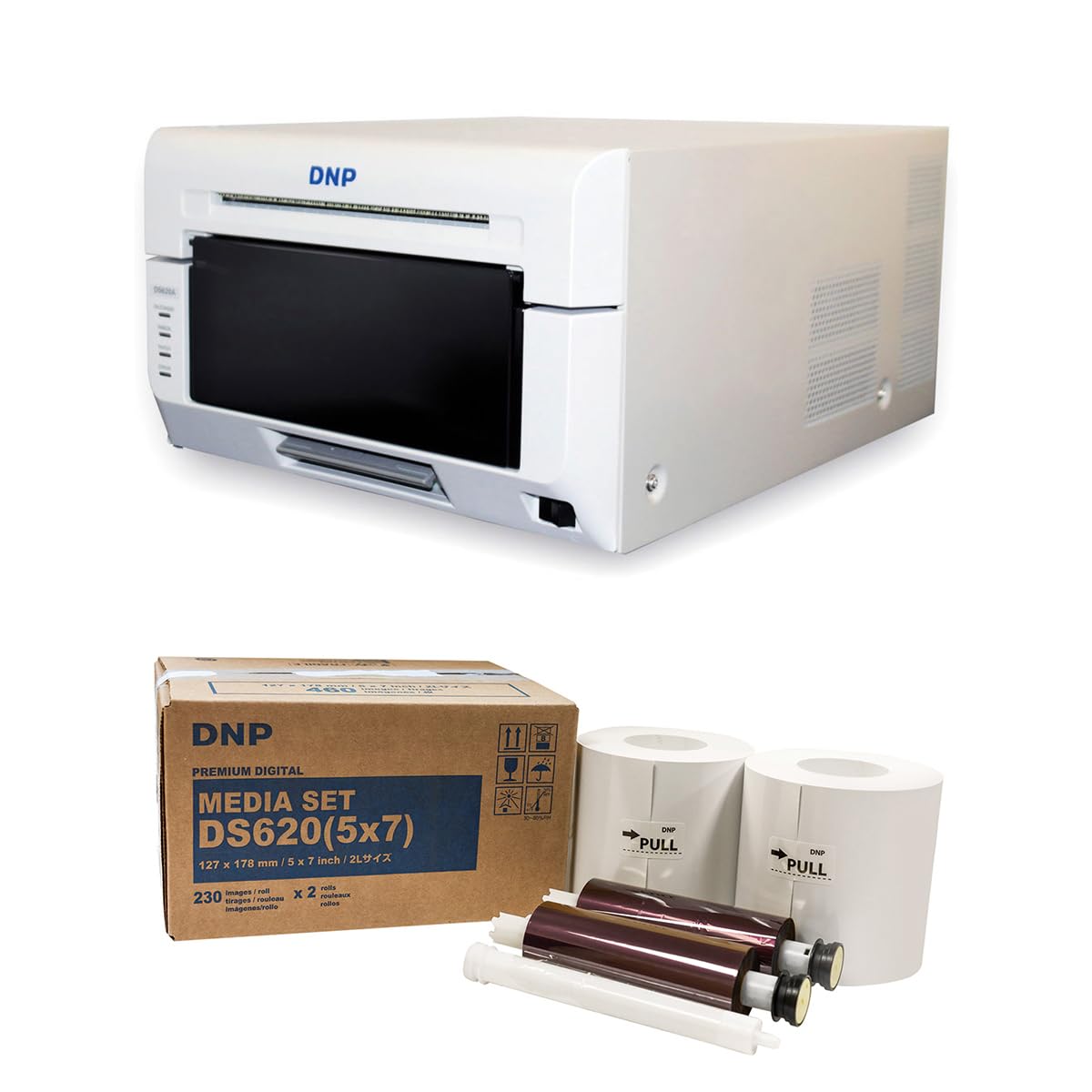
Hình ảnh 1.1: Mặt trước view of the DNP DS620A Professional Photo Printer. The printer is white with a black front panel where prints exit.
2. Nội dung gói hàng
Xác minh rằng tất cả các mục được liệt kê dưới đây đều có trong gói hàng của bạn:
- Bộ máy in DNP DS620A
- 4x6 inch Print Catcher
- 5x7 inch Spacer
- Cáp USB
- Dây nguồn
- CD trình điều khiển
- DNP 5x7 inch Dye Sub Media (for initial use)

Image 2.1: DNP 5x7 inch Dye Sub Media Set, including paper rolls and ribbon cartridges, packaged in a brown box.
3. Thiết lập
3.1 Giải nén và đặt
- Cẩn thận lấy máy in và tất cả các phụ kiện ra khỏi bao bì.
- Place the printer on a stable, level surface with adequate ventilation. Ensure sufficient space around the printer for media loading and print output.
3.2 Kết nối nguồn điện
- Kết nối dây nguồn với đầu vào nguồn của máy in, sau đó kết nối với ổ cắm điện có nối đất.
- Do not power on the printer until all other connections are made.
3.3 Kết nối với máy tính
- Connect the provided USB cable from the printer to an available USB port on your computer.
3.4 Cài đặt trình điều khiển
- Insert the Driver CD into your computer's optical drive and follow the on-screen instructions to install the printer drivers.
- Alternatively, download the latest drivers from the official DNP webtrang web dành cho hệ điều hành của bạn.
- For Mac users, ensure you install the specific Mac driver to enable features like square photo prints.
3.5 Tải phương tiện
- Open the printer's front cover.
- Carefully load the DNP dye-sublimation paper roll and ribbon cartridge according to the instructions provided inside the printer or in the quick start guide.
- Ensure the media is correctly seated to prevent jams or print errors.
4. Hướng dẫn vận hành
4.1 Bật và Tắt nguồn
- To power on, press the power button located on the printer. The indicator light will illuminate.
- To power off, press and hold the power button until the printer shuts down.
4.2 In ảnh
- Đảm bảo máy in đã được bật nguồn và kết nối với máy tính.
- Mở ảnh bạn muốn in bằng phần mềm chỉnh sửa ảnh hoặc in ấn mà bạn ưa thích.
- Select the DNP DS620A as your printer.
- In the printer settings, choose your desired print size (e.g., 4x6 inch, 5x7 inch, 6x8 inch, 2x6 inch strips).
- For square prints (6x6 inch or 5x5 inch), ensure you are using the appropriate media pack (6x8 inch for 6x6 inch, 5x7 inch for 5x5 inch) and that the Mac driver is correctly configured.
- Khởi động lệnh in. Máy in sẽ xử lý và in ảnh.

Image 4.1: The DNP DS620A printer in operation, with a photo emerging from the output slot.
4.3 Tính năng nâng cao
- Watermark Feature: The printer can apply a unique watermark to the back of your photos. Refer to the driver settings for configuration.
- Hot Folder Print (HFP) Utility: Utilize HFP Utility version 2.1 for multi-cut support for 4x6 inch and additional sizes.
- Mini Photobook Software: The printer supports the mini photobook software application for creative projects.
- Chế độ chờ: The printer features a standby mode to reduce energy consumption when not actively printing.
5. Bảo trì
5.1 Vệ sinh máy in
- Regularly clean the exterior of the printer with a soft, dry cloth.
- Tránh sử dụng chất tẩy rửa hoặc dung môi có tính ăn mòn.
- Refer to the detailed cleaning instructions in the full manual for internal components.
5.2 Media Handling and Storage
- Store dye-sublimation media in a cool, dry place away from direct sunlight.
- Handle media by the edges to avoid fingerprints or damage to the printing surface.
- Replace media rolls and ribbon cartridges as instructed by the printer or when print quality degrades.
KHAI THÁC. Xử lý sự cố
This section provides general guidance for common issues. For detailed troubleshooting, consult the comprehensive DNP DS620A service manual or contact customer support.
6.1 Máy in không phản hồi
- Hãy đảm bảo máy in đã được bật nguồn và dây nguồn được kết nối chắc chắn.
- Verify the USB cable is firmly connected to both the printer and the computer.
- Check the printer's status lights for any error indicators.
- Khởi động lại cả máy in và máy tính.
6.2 Các vấn đề về chất lượng in
- Ensure the correct media type is loaded and that it is not damaged or expired.
- Check for any dust or debris inside the printer that might affect print quality.
- Verify that the printer drivers are up to date.
- Perform a test print to diagnose specific quality issues.
6.3 Kẹt phương tiện
- Tắt máy in ngay lập tức.
- Carefully open the printer cover and remove any jammed media following the instructions in the full manual. Avoid tearing the paper.
- Ensure media is loaded correctly and not overfilled.
7. Thông số kỹ thuật
| Tính năng | Đặc điểm kỹ thuật |
|---|---|
| Thương hiệu | DNP |
| Tên mẫu | DS620A |
| Công nghệ in ấn | Nhuộm thăng hoa |
| Công nghệ kết nối | USB |
| Đầu ra máy in | Màu sắc |
| Tốc độ in tối đa (Màu) | 1 ppm (approx. 8.3 seconds for 4x6") |
| Nghị quyết | 300 x 300dpi |
| Màu mực | CMYK |
| Phương tiện in ấn | Giấy ảnh bóng |
| Kích cỡ giấy được hỗ trợ | 3.5x5, 4x6, 5x7, 6x8, 8x10 inches (and multi-cut options like 2x6, 5x5, 6x6) |
| Dung lượng giấy tối đa | 400 (4x6 inch prints per roll) |
| Trọng lượng sản phẩm | 37.65 Bảng Anh |
| Tính năng đặc biệt | Wireless (via optional accessory), Standby Mode |
| Loại bộ điều khiển | iOS (via App) |
8. Bảo hành và Hỗ trợ
8.1 Thông tin bảo hành
The DNP DS620A Professional Photo Printer typically includes a Bảo hành có giới hạn 3 năm. This warranty covers defects in materials and workmanship under normal use. Please refer to the warranty card included with your product or visit the official DNP webXem toàn bộ điều khoản và điều kiện tại trang web này.

Image 8.1: The DNP DS620A printer alongside a badge indicating a 3-Year Advance Exchange Extended Warranty.
8.2 Hỗ trợ khách hàng
For technical assistance, troubleshooting beyond this manual, or warranty claims, please contact DNP customer support. Contact information can typically be found on the DNP official website or in the documentation included with your printer.