
1. Giới thiệu
The BSS BLU-103 is a high-performance conferencing processor designed for professional audio installations. It features Acoustic Echo Cancellation (AEC) and Voice over IP (VoIP) capabilities, making it suitable for a wide range of conferencing applications. This manual provides essential information for the proper setup, operation, and maintenance of your BLU-103 unit.
2. Thông tin an toàn
WARNING: THIS EQUIPMENT MUST BE EARTHED.
Để đảm bảo hoạt động an toàn và tránh hư hỏng, vui lòng tuân thủ các biện pháp phòng ngừa an toàn sau:
- Nguồn điện: Chỉ kết nối thiết bị với nguồn điện xoay chiều trong phạm vi điện áp quy định.tage range (100-240V, 50/60Hz, 50W). Ensure the power cord is properly grounded.
- Thông gió: Không chặn các lỗ thông gió. Đảm bảo luồng không khí lưu thông đầy đủ xung quanh thiết bị để tránh quá nhiệt.
- Độ ẩm: Không để thiết bị tiếp xúc với mưa hoặc hơi ẩm. Không đặt các vật chứa chất lỏng lên thiết bị.
- Bảo dưỡng: Hãy giao việc bảo dưỡng cho nhân viên kỹ thuật có trình độ chuyên môn. Không tự ý sửa chữa sản phẩm này.
- Cài đặt: Install the unit in a stable environment, away from excessive heat sources, vibrations, or dust.
3. Sản phẩm hếtview
3.1. Mô tả sản phẩm
Âm thanhweb London BLU-103 offers a fixed configuration of 8 analog inputs and 8 analog outputs, a Voice over IP (VoIP) interface, configurable signal processing, AEC processing, and a high bandwidth, fault tolerant digital audio bus. The VoIP port enables the BLU-103 to interface with two VoIP (SIP v2.0 or later) lines. The BLU-103 contains dedicated AEC processing for up to 8 independent AEC algorithms. The AEC algorithm can be applied to signals coming from the local analog inputs or from the digital audio bus. 8 individual AEC references (one per algorithm) allow the user to provide a solution for multiple conferencing spaces using a single device. The BLU-103 and the other members of the Soundweb London family provide the building blocks of the perfectly tailored system solution.
3.2. Các tính năng chính
- 8 Analog Inputs (with 48V Phantom Power per Channel)
- Đầu ra tương tự 8
- VoIP Port for SIP v2.0 or later
- Dedicated AEC processing for up to 8 independent algorithms
- Rich Palette of Processing and Logic Objects
- Âm thanhweb London Interface Kit for Third Party Control System Integration
- High bandwidth, fault tolerant digital audio bus (BLU link)
4. Thiết lập
4.1. Rear Panel Connections Overview
The following image illustrates the rear panel of the BSS BLU-103, detailing all available connections for power, audio, and control.
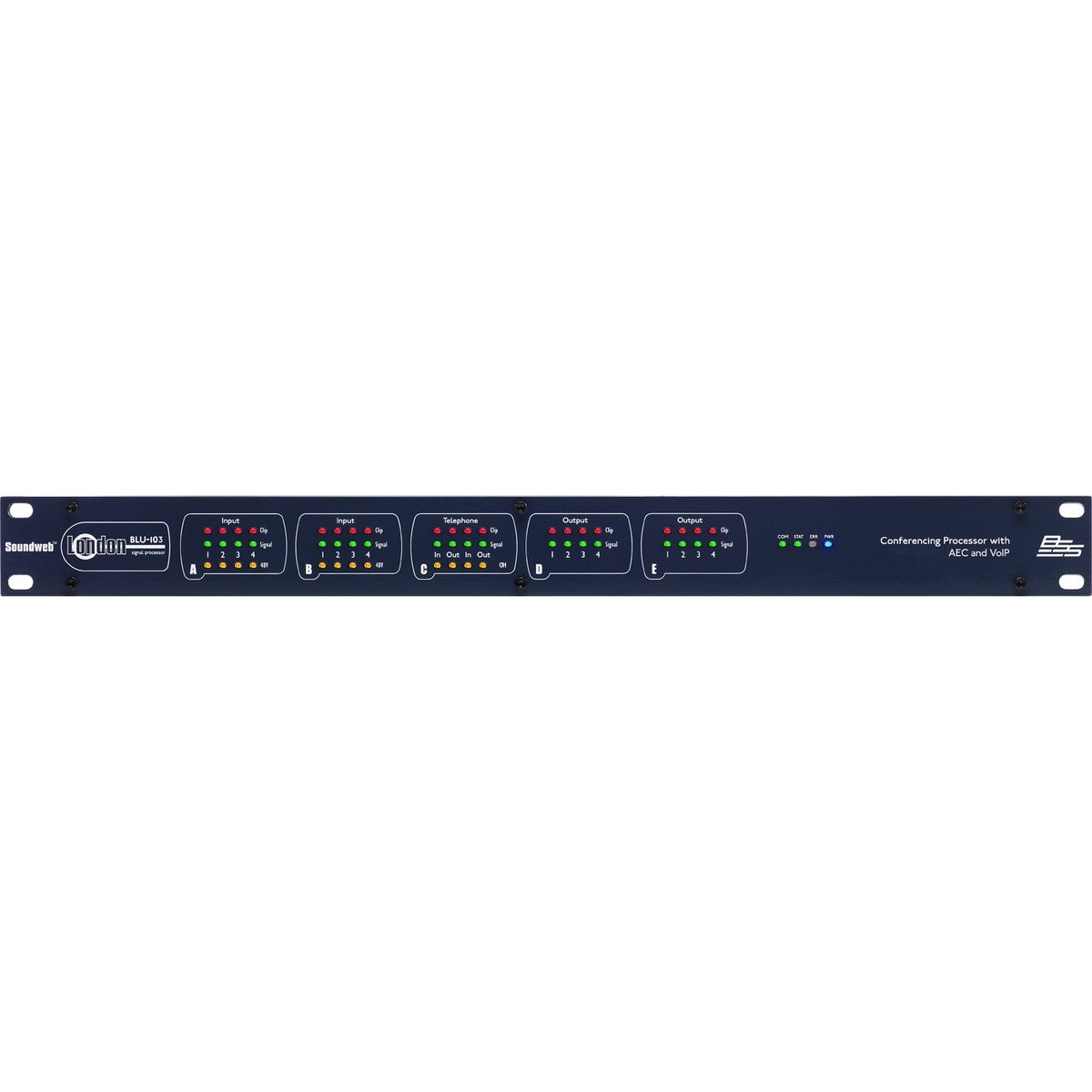
Figure 1: Rear panel of the BSS BLU-103 Conferencing Processor. From left to right: AC power inlet, RS232, Ethernet, BLU Link (IN/OUT), Control Inputs/Outputs, VoIP, Analog Outputs (D, C), Analog Inputs (B, A).
4.2. Kết nối nguồn điện
Connect the supplied IEC power cable to the AC inlet on the far left of the rear panel. Ensure the power source is within the 100-240V, 50/60Hz range. The unit consumes 50W. Always ensure the equipment is properly earthed.
4.3. BLU Link Connection
The BLU Link ports (IN and OUT) are used for connecting the BLU-103 to other Soundweb London devices, forming a high-bandwidth digital audio bus. Use standard CAT5e or higher Ethernet cables for these connections.
4.4. Kết nối Ethernet
The Ethernet port provides network connectivity for control and configuration of the BLU-103 using the Soundweb London Architect software. Connect this port to your network switch or router using a standard Ethernet cable.
4.5. Kết nối RS232
The RS232 serial port allows for integration with third-party control systems. Refer to the Soundweb London Interface Kit documentation for detailed protocol information.
4.6. Control Inputs and Logic Outputs
The Control section features terminals for external control inputs (1-12) and logic outputs (1-6). These can be configured within the Soundweb London Architect software to interface with various external devices and triggers.
4.7. VoIP Connection
The VoIP port allows the BLU-103 to connect to two Voice over IP (SIP v2.0 or later) lines, enabling direct integration into IP-based telephony systems for conferencing.
4.8. Đầu ra tương tự
The BLU-103 provides 8 analog outputs, labeled D (1-4) and C (1-4). These are balanced outputs, typically connected to amplifiers or other audio distribution equipment using appropriate cabling.
4.9. Đầu vào tương tự
The unit features 8 analog inputs, labeled B (1-4) and A (1-4). These inputs support 48V phantom power per channel, suitable for connecting condenser microphones. Ensure proper gain staging for optimal audio quality.
5. Hướng dẫn vận hành
The BSS BLU-103 is primarily configured and controlled using the Âm thanhweb London Architect software, which runs on a personal computer (Windows operating system). This software allows for:
- Designing and loading audio signal processing configurations.
- Setting up AEC algorithms for each input.
- Configuring VoIP lines and parameters.
- Monitoring system status and audio levels.
- Integrating with third-party control systems via RS232 or network commands.
Refer to the Soundweb London Architect software documentation for detailed instructions on creating and deploying configurations.
6. Bảo trì
The BSS BLU-103 is designed for reliable operation with minimal maintenance. Follow these guidelines:
- Vệ sinh: Hãy dùng khăn mềm, khô để lau sạch bên ngoài thiết bị. Tránh sử dụng chất tẩy rửa có tính ăn mòn hoặc dung môi.
- Thông gió: Thường xuyên kiểm tra xem các lỗ thông gió có bị tắc nghẽn bởi bụi bẩn và mảnh vụn hay không.
- Cập nhật chương trình cơ sở: Kiểm tra của nhà sản xuất webcập nhật chương trình cơ sở định kỳ để đảm bảo hiệu suất tối ưu và truy cập vào các tính năng mới.
- Điều kiện môi trường: Operate the unit within specified temperature and humidity ranges.
KHAI THÁC. Xử lý sự cố
If you encounter issues with your BLU-103, consider the following basic troubleshooting steps:
- Không có điện: Ensure the power cable is securely connected and the power outlet is active. Check the power switch on the unit.
- Không có kết nối mạng: Verify Ethernet cable connections. Check network settings on the BLU-103 and your computer. Ensure the unit's IP address is correctly configured and accessible on the network.
- Không có đầu vào/đầu ra âm thanh: Check all analog and digital audio cable connections. Verify gain settings and routing within the Soundweb London Architect software. Ensure phantom power is enabled for condenser microphones if required.
- VoIP Issues: Confirm network connectivity and correct SIP account settings within the software. Check firewall settings if applicable.
- System Lock-up: If the unit becomes unresponsive, power cycle the device by disconnecting and reconnecting the power cable.
For persistent issues, consult the Soundweb London Architect software documentation or contact BSS customer support.
8. Thông số kỹ thuật
The following table details the technical specifications of the BSS BLU-103 Conferencing Processor:
| Đặc điểm kỹ thuật | Giá trị |
|---|---|
| Kích thước sản phẩm | 25 x 5.98 x 17.01 inch |
| Trọng lượng sản phẩm | 16 pound |
| Số hiệu mẫu sản phẩm | BLU-103 |
| Nhà sản xuất | BSS |
| Thiết bị tương thích | Máy tính cá nhân |
| Công nghệ kết nối | Ethernet, USB (for service/firmware) |
| Số lượng kênh | 8 Analog Inputs, 8 Analog Outputs |
| Operating System (for control software) | Cửa sổ |
| Yêu cầu về nguồn điện | 100-240V, 50/60Hz, 50W |
| Ngày đầu tiên có sẵn | Ngày 12 tháng 2015 năm XNUMX |
9. Bảo hành và Hỗ trợ
9.1. Thông tin bảo hành
This product is covered by a manufacturer's warranty. Please refer to the warranty card included with your product or visit the official BSS webtrang web để biết các điều khoản và điều kiện chi tiết về phạm vi bảo hành và thời hạn bảo hành.
9.2. Hỗ trợ khách hàng
For technical assistance, product inquiries, or service requests, please contact BSS customer support through their official website or authorized distributors. Ensure you have your product model number (BLU-103) and serial number available when contacting support.