
1. Giới thiệu
The D-Link DCS-6100LHV2 Full HD Wi-Fi Compact Camera is designed for indoor home monitoring, offering 1080p resolution, night vision, and two-way audio. This manual provides essential information for setting up, operating, and maintaining your camera, ensuring optimal performance and security.
2. Nội dung gói hàng
Xác minh rằng tất cả các mục đều có trong gói hàng của bạn:
- DCS-6100LHV2 Full HD Compact Wi-Fi Camera
- Bộ chuyển đổi nguồn Micro USB
- Hướng dẫn cài đặt nhanh
- Bộ dụng cụ treo tường
3. Sản phẩm hếtview
Hãy làm quen với các bộ phận của máy ảnh.
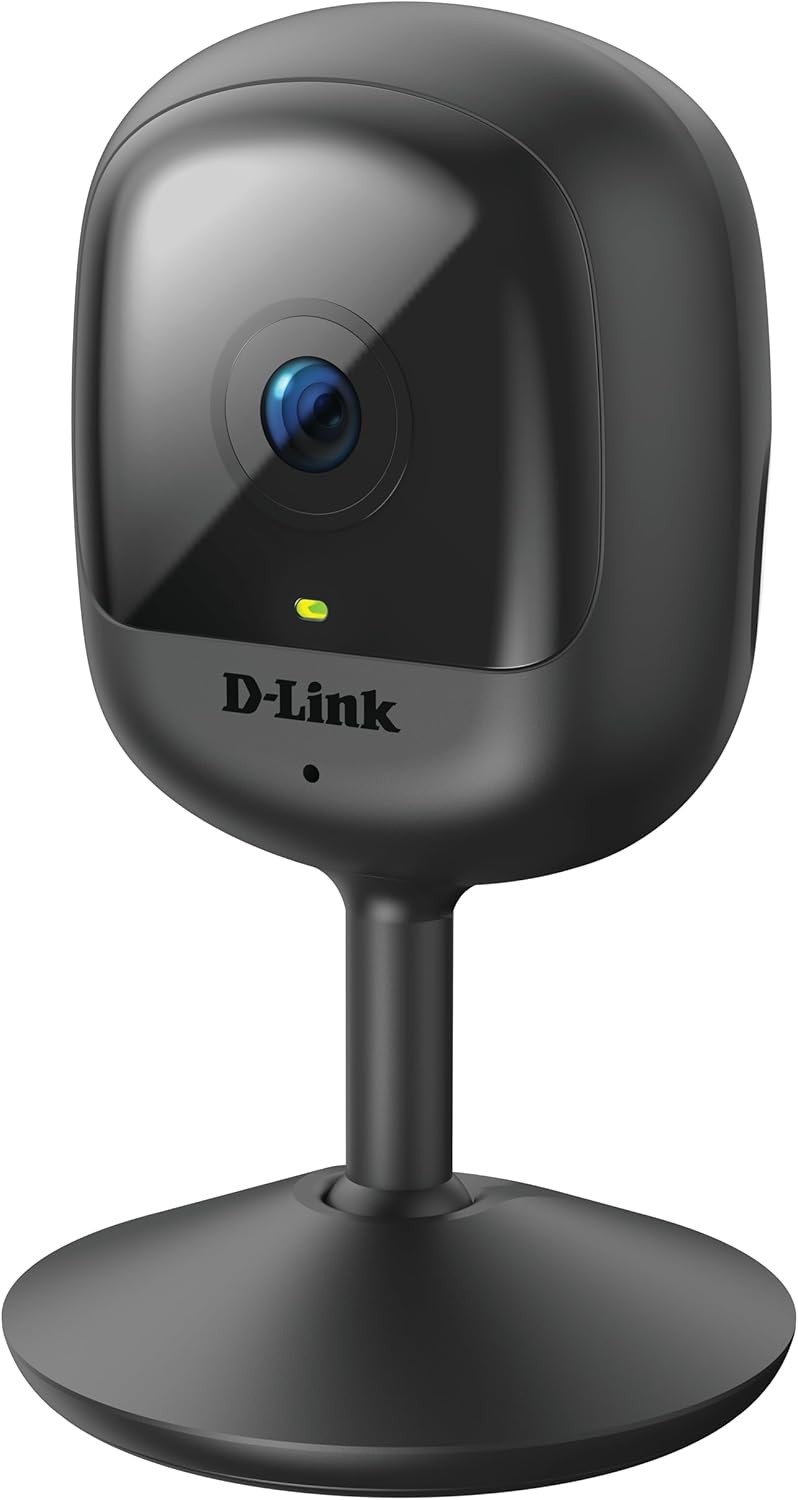
Hình 3.1: Đằng trước view of the D-Link DCS-6100LHV2 camera, showing the lens and status LED.

Hình 3.2: Ở phía sau view of the D-Link DCS-6100LHV2 camera, highlighting the speaker, reset button, and power port.
Các thành phần chính:
- Ống kính máy ảnh: Captures Full HD 1080p video.
- Đèn LED trạng thái: Indicates camera status (e.g., power, connection).
- Micrô: Dùng để thu âm và giao tiếp hai chiều.
- Người nói: Dùng để xuất âm thanh và giao tiếp hai chiều.
- Nút Đặt lại: Được sử dụng để khôi phục cài đặt mặc định của nhà sản xuất.
- Cổng nguồn Micro USB: Kết nối với bộ đổi nguồn.
- Khe cắm thẻ nhớ MicroSD: For local video storage (supports up to 128 GB).
4. Thiết lập
4.1. Cài đặt ứng dụng
- Tải xuống liên kết của tôi ứng dụng từ App Store (iOS) hoặc Google Play Store (Android).
- Cài đặt ứng dụng trên điện thoại thông minh hoặc máy tính bảng của bạn.
- Khởi chạy ứng dụng mydlink và tạo tài khoản mới hoặc đăng nhập bằng tài khoản hiện có.
4.2. Khởi động và kết nối Wi-Fi
- Connect the micro USB power adapter to the camera's power port and plug it into a power outlet.
- Wait for the camera's status LED to blink orange, indicating it is ready for setup.
- In the mydlink app, tap the "Add a Device" icon and follow the on-screen instructions to connect your camera to your Wi-Fi network. Ensure your Wi-Fi network is 2.4 GHz.
- Once connected, the status LED will turn solid green.
4.3. Gắn máy ảnh
Camera có thể được đặt trên bề mặt phẳng hoặc gắn trên tường.
- Vị trí đặt trên bàn: Chỉ cần đặt camera trên bề mặt phẳng, ổn định trong phạm vi tín hiệu Wi-Fi và ổ cắm điện.
- Lắp trên tường: Use the provided wall mount kit. Secure the mount to the desired location on the wall using screws, then attach the camera to the mount. Adjust the camera angle as needed.

Hình 4.1: The D-Link DCS-6100LHV2 camera discreetly placed in a home environment.
5. Hướng dẫn vận hành
5.1. Sống View
Open the mydlink app and select your camera from the device list to view the live video feed. You can pinch to zoom and pan across the image.
5.2. Recording Options (MicroSD & Cloud)
- Ghi hình vào thẻ MicroSD: Insert a microSD card (up to 128 GB, not included) into the camera's slot for local storage of recorded events. Configure recording settings (e.g., continuous, event-based) via the mydlink app.
- mydlink Cloud Recording: The camera supports cloud recording. A 1-year free mydlink cloud subscription is included, allowing remote storage and access to video clips. Manage cloud recording settings and view stored videos through the mydlink app.
5.3. Phát hiện chuyển động và âm thanh
The camera features integrated motion and sound detection. When motion or sound is detected, the camera can automatically start recording and send push notifications to your mobile device. Sensitivity levels and detection zones can be customized in the mydlink app settings.
5.4. Âm thanh hai chiều
Utilize the camera's built-in microphone and speaker for two-way audio communication. From the live view in the mydlink app, tap the microphone icon to speak through the camera, and listen to audio from the camera's location.
5.5. Tầm nhìn ban đêm
The camera automatically switches to night vision mode in low-light conditions, providing clear black-and-white video up to 5 meters (16 feet) in complete darkness.
5.6. Tích hợp nhà thông minh
The D-Link DCS-6100LHV2 is compatible with Amazon Alexa and Google Assistant. Follow the instructions in the mydlink app or your smart home assistant's app to link your camera and enable voice control for features like viewing the live feed on compatible smart displays.
6. Bảo trì
6.1. Vệ sinh
To clean the camera, gently wipe the exterior with a soft, dry cloth. Do not use liquid cleaners or aerosols, as they may damage the device. Ensure the lens is free of dust and smudges for optimal image clarity.
6.2. Cập nhật chương trình cơ sở
Regularly check for and install firmware updates via the mydlink app. Firmware updates often include performance improvements, new features, and security enhancements.
KHAI THÁC. Xử lý sự cố
7.1. Camera không kết nối được với Wi-Fi
- Hãy đảm bảo mạng Wi-Fi của bạn là 2.4 GHz. Camera không hỗ trợ mạng 5 GHz.
- Verify that the camera is within range of your Wi-Fi router.
- Kiểm tra độ chính xác của mật khẩu Wi-Fi.
- Hãy thử khởi động lại bộ định tuyến Wi-Fi và camera.
- If issues persist, perform a factory reset on the camera by pressing and holding the reset button for 10 seconds, then attempt setup again.
7.2. No Video Recording
- For microSD recording, ensure a compatible microSD card is inserted and properly formatted via the mydlink app.
- Check recording schedules and event detection settings in the mydlink app.
- For cloud recording, verify your mydlink cloud subscription status.
7.3. Chất lượng hình ảnh kém
- Hãy đảm bảo ống kính máy ảnh sạch sẽ và không bị vật cản.
- Kiểm tra tốc độ kết nối internet của bạn. Kết nối ổn định và nhanh là cần thiết để phát trực tuyến tối ưu.
- Adjust the camera's position to avoid glare or strong backlighting.
7.4. Các vấn đề về âm thanh hai chiều
- Hãy đảm bảo micrô và loa trên máy ảnh không bị che khuất.
- Check the volume settings on your mobile device and within the mydlink app.
- Verify that your internet connection is stable, as audio streaming requires consistent bandwidth.
8. Thông số kỹ thuật
| Tính năng | Chi tiết |
|---|---|
| Tên mẫu | DCS-6100LHV2 |
| Độ phân giải video | Độ phân giải Full HD 1080p |
| Viewgóc ing | 120 Độ |
| Tầm nhìn ban đêm | Lên đến 5 mét (16 feet) |
| Kết nối | Wi-Fi (2.4 GHz) |
| Tùy chọn lưu trữ | MicroSD card (up to 128 GB), mydlink Cloud Recording |
| Âm thanh | Âm thanh hai chiều (Microphone và loa tích hợp) |
| Phát hiện | Phát hiện chuyển động, Phát hiện âm thanh |
| Khả năng tương thích của nhà thông minh | Amazon Alexa, Trợ lý Google |
| Đầu vào nguồn điện | Micro USB, 220V, 4W |
| Kích thước (D x R x C) | 6 x 6 x 10.4cm |
| Cân nặng | 65 gam |
| Vật liệu | Nhựa |
| Môi trường hoạt động | Sử dụng trong nhà |
9. Thông tin bảo hành
The D-Link DCS-6100LHV2 camera comes with a Bảo hành 2 năm from the date of purchase. This warranty covers defects in materials and workmanship under normal use. Please retain your proof of purchase for warranty claims. The warranty does not cover damage caused by misuse, accidents, unauthorized modifications, or external factors.
10. Hỗ trợ
For further assistance, technical support, or to access additional resources, please visit the official D-Link support website or contact their customer service. Refer to the Quick Installation Guide included in your package for specific contact details for your region.