
Giới thiệu
The StarTech.com SDOCKU33HB is a USB 3.0 SATA Hard Drive Docking Station designed for quick and easy access to 2.5-inch or 3.5-inch SATA solid-state drives (SSDs) and hard disk drives (HDDs). It features a built-in USB Fast Charge hub and supports UASP (USB Attached SCSI Protocol) for enhanced performance with SATA 6Gbps drives. This manual provides instructions for setup, operation, and maintenance of your docking station.
Sản phẩm trênview
Familiarize yourself with the components and features of your docking station.
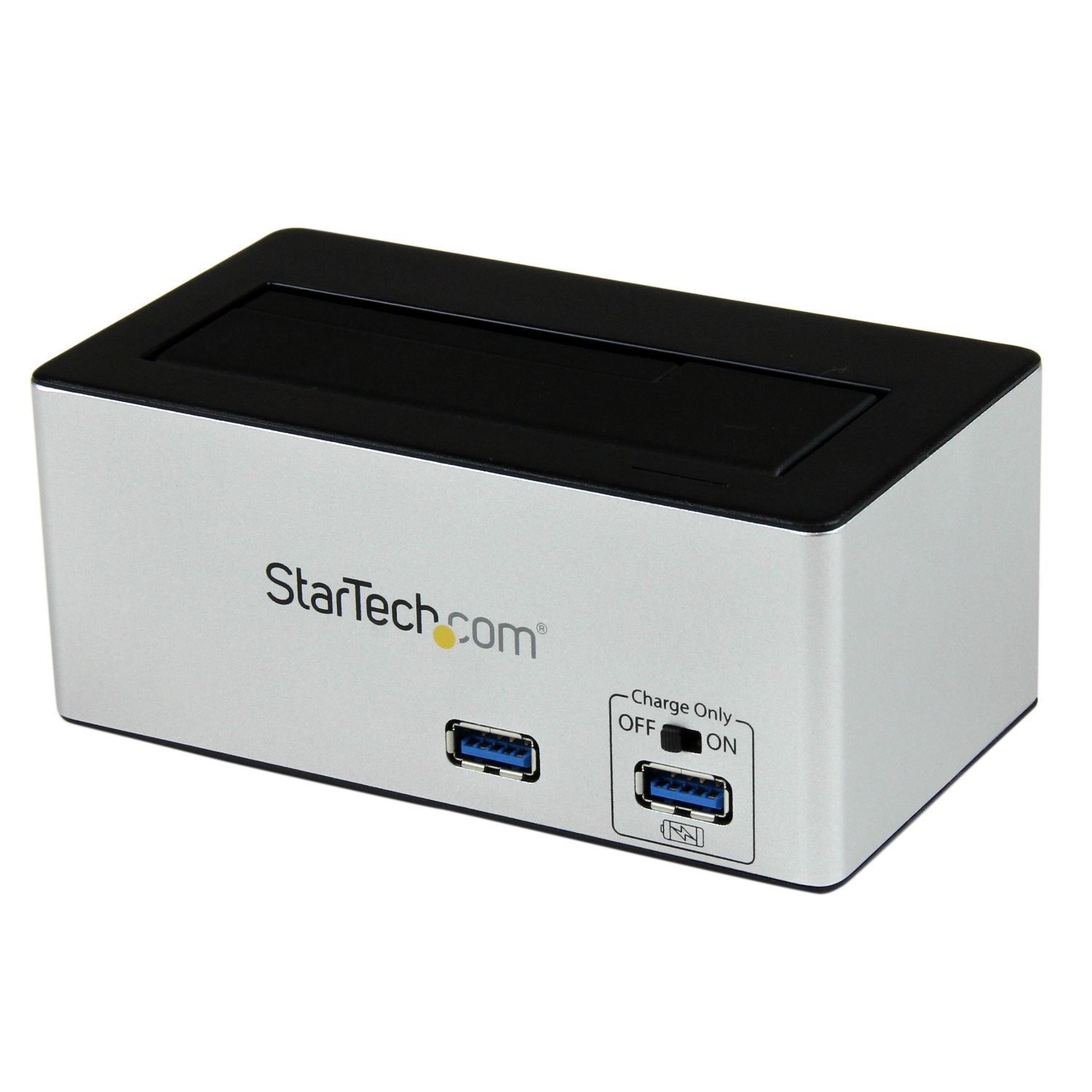
Hình ảnh: The StarTech.com SDOCKU33HB docking station, showing the top-loading drive bay and front panel.
Tính năng của bảng điều khiển phía trước
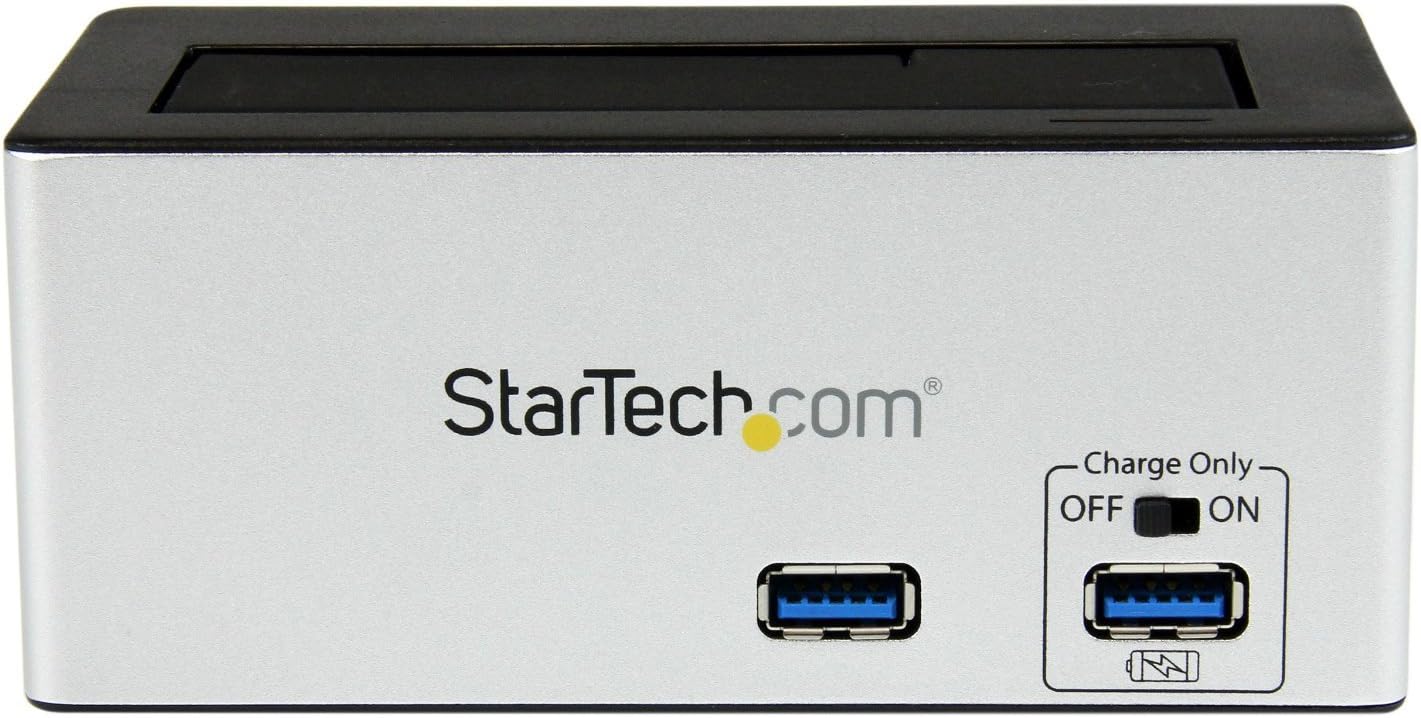
Hình ảnh: Đằng trước view of the docking station, highlighting the USB 3.0 data port and the USB Fast Charge port with its ON/OFF switch.
- USB 3.0 Data Port: Connects to your computer for data transfer.
- USB Fast Charge Port: Provides accelerated charging for mobile devices. Features an ON/OFF switch for activation.
Tính năng của bảng điều khiển phía sau

Hình ảnh: Ở phía sau view of the docking station, showing the power switch, DC-IN port, USB 3.0 host connection, and the OFF/Sleep switch.
- Công tắc điện: Turns the docking station ON or OFF.
- Cổng DC-IN: Kết nối với bộ đổi nguồn đi kèm.
- Cổng máy chủ USB 3.0: Connects the docking station to your computer's USB 3.0 port.
- OFF/Sleep Switch: Controls the sleep mode functionality of the docking station.
Nội dung gói
Verify that all components are present in your package.
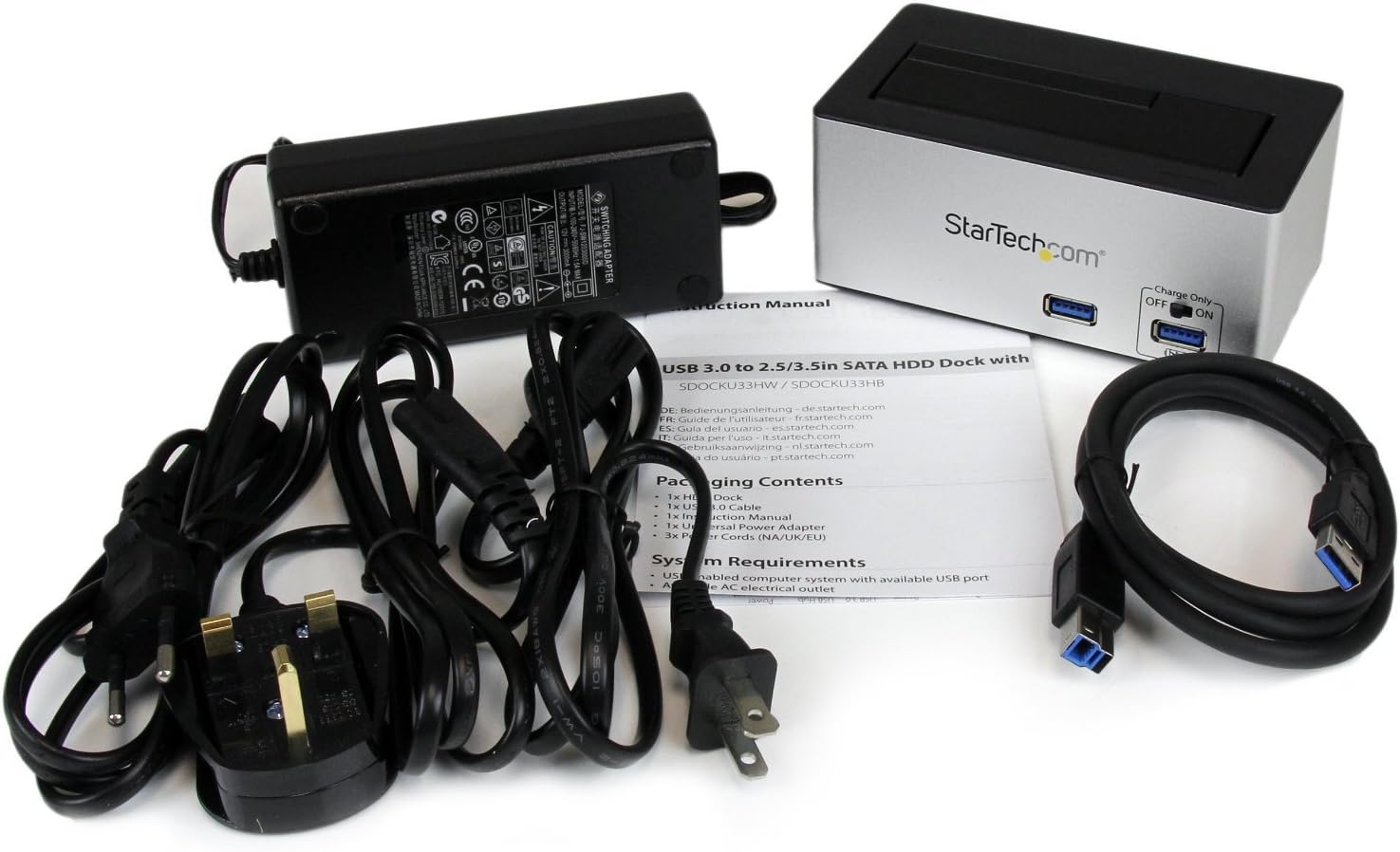
Hình ảnh: The complete package contents, including the docking station, power adapter, USB 3.0 cable, and instruction manual.
- 1x USB 3.0 SATA Hard Drive Docking Station (SDOCKU33HB)
- 1x Universal Power Adapter
- 1x Cáp USB 3.0
- 1x Hướng dẫn sử dụng
Yêu cầu hệ thống
Ensure your system meets the following requirements for optimal performance.
- Computer with an available USB 3.0 port (USB 2.0/1.1 backward compatible)
- 2.5-inch or 3.5-inch SATA I/II/III SSD/HDD
- Ổ cắm điện AC có sẵn
- Operating System: Windows XP/Vista/7/8/10/11, macOS 10.x and later, Linux
Hướng dẫn thiết lập
- Kết nối nguồn: Connect the universal power adapter to the DC-IN port on the rear of the docking station, then plug the adapter into an AC power outlet.
- Kết nối với máy tính: Connect one end of the included USB 3.0 cable to the USB 3.0 Host Port on the rear of the docking station, and the other end to an available USB 3.0 port on your computer.
- Chèn ổ đĩa: Gently slide your 2.5-inch or 3.5-inch SATA SSD/HDD into the top-loading drive bay until it is securely seated. Ensure the drive's SATA connector aligns with the docking station's connector.
- Bật nguồn: Flip the Power Switch on the rear of the docking station to the 'ON' position. The power LED (if present) should illuminate.
- Cài đặt trình điều khiển: Hệ điều hành của bạn sẽ tự động phát hiện và cài đặt trình điều khiển cần thiết. Thông thường, không cần cài đặt trình điều khiển thủ công.
- Truy cập ổ đĩa: Once detected, the drive will appear as a removable storage device in your operating system's file explorer or disk management utility. You may need to initialize and format new drives before use.
Hướng dẫn sử dụng
Using the Hard Drive Dock
- Chuyển dữ liệu: Once the drive is recognized by your computer, you can drag and drop files to and from the drive as you would with any other storage device.
- Thay thế nóng: The docking station supports hot-swapping. To safely remove a drive, ensure all data transfer operations are complete, then use your operating system's "Safely Remove Hardware" or "Eject" function before pulling the drive out of the bay.
- Hỗ trợ UASP: For systems supporting UASP, the docking station will leverage this protocol to achieve faster data transfer speeds, especially with SATA 6Gbps drives.
Using the USB Fast Charge Port
- Activate Fast Charge: Flip the "Charge Only" switch on the front panel to the 'ON' position.
- Kết nối thiết bị: Connect your mobile device (e.g., smartphone, tablet) to the USB Fast Charge port using its charging cable.
- Sạc: The port will provide enhanced power output for faster charging compared to standard USB ports.
Chức năng Chế độ Ngủ
- The "OFF/Sleep" switch on the rear panel controls the docking station's sleep mode behavior. Consult the full product manual for detailed information on sleep mode settings and compatibility.
BẢO TRÌ
- Vệ sinh: Hãy dùng khăn mềm, khô để lau sạch bên ngoài đế sạc. Không sử dụng chất tẩy rửa dạng lỏng hoặc dung môi.
- Kho: Khi không sử dụng, hãy bảo quản đế sạc ở nơi khô ráo, thoáng mát, tránh ánh nắng trực tiếp và nhiệt độ quá cao hoặc quá thấp.
- Drive Handling: Always handle hard drives with care. Avoid dropping or subjecting them to physical shock.
Xử lý sự cố
- Issue: Drive not detected by computer.
- Hãy đảm bảo trạm kết nối đã được bật nguồn và bộ chuyển đổi nguồn đã được kết nối chắc chắn.
- Hãy kiểm tra xem cáp USB 3.0 đã được kết nối chắc chắn với cả đế cắm và máy tính của bạn chưa.
- Hãy thử một cổng USB khác trên máy tính của bạn.
- Ensure the SATA drive is correctly seated in the docking bay.
- Check your computer's Disk Management (Windows) or Disk Utility (macOS) to see if the drive is recognized but uninitialized or unformatted. New drives require initialization and formatting.
- Test with a different SATA drive to rule out a drive issue.
- Vấn đề: Tốc độ truyền dữ liệu chậm.
- Hãy đảm bảo bạn đã kết nối thiết bị với cổng USB 3.0 trên máy tính. Cổng USB 2.0 sẽ cho tốc độ chậm hơn.
- Verify your operating system and drivers support UASP for optimal performance with SATA 6Gbps drives.
- Hiệu năng của chính ổ đĩa có thể ảnh hưởng đến tốc độ truyền dữ liệu.
- Issue: Fast Charge port not working.
- Ensure the "Charge Only" switch on the front panel is in the 'ON' position.
- Hãy kiểm tra xem đế sạc đã được bật nguồn chưa.
- Try a different charging cable or device to confirm the issue is not with the device or cable.
Thông số kỹ thuật
| Tính năng | Đặc điểm kỹ thuật |
|---|---|
| Người mẫu | SDOCKU33HB |
| Giao diện | USB 3.0 (tương thích ngược với USB 2.0/1.1) |
| Các loại ổ đĩa tương thích | 2.5" and 3.5" SATA I/II/III HDDs/SSDs |
| Tốc độ truyền dữ liệu | Tốc độ lên đến 5 Gbps (USB 3.0) |
| Hỗ trợ UASP | Đúng |
| Fast Charge Port | Đúng |
| Kích thước (D x R x C) | 3.6" x 3.6" x 6.8" (9.14cm x 9.14cm x 17.27cm) |
| Cân nặng | 1.4 pound (0.64 kg) |
| Màu sắc | Đen |
| Nguồn điện | Universal AC Adapter (Input: 100-240V AC, Output: 12V DC) |
Bảo hành và hỗ trợ kỹ thuật
This StarTech.com product is backed by a Bảo hành 2 năm.
For the most up-to-date information on warranty, technical support, and product documentation, please visit the official StarTech.com website or the product page:
You can also find additional resources and contact information for technical assistance on the StarTech.com webđịa điểm.