
Giới thiệu
This manual provides essential information for the proper use and care of your Casio Baby-G BGA-170-9BDR wristwatch. Please read these instructions carefully to ensure optimal performance and longevity of your watch. This watch is designed for women and features both analog and digital displays, along with robust shock resistance and 100-meter water resistance.
Cài đặt
Cài đặt thời gian ban đầu
Upon first use or after a battery change, you may need to set the current time and date. Refer to the detailed instructions in the official Casio module manual for your specific model (BGA-170) for precise button operations. Generally, you will use the adjustment buttons (usually located on the sides of the watch case) to navigate through settings modes and adjust hours, minutes, seconds, year, month, and day.
Thông tin về pin
Your watch comes with one Lithium-metal battery already installed. The battery provides power for the watch's functions. When the battery runs low, the display may dim or functions may become erratic. It is recommended to have the battery replaced by a qualified watch technician to ensure water resistance is maintained.
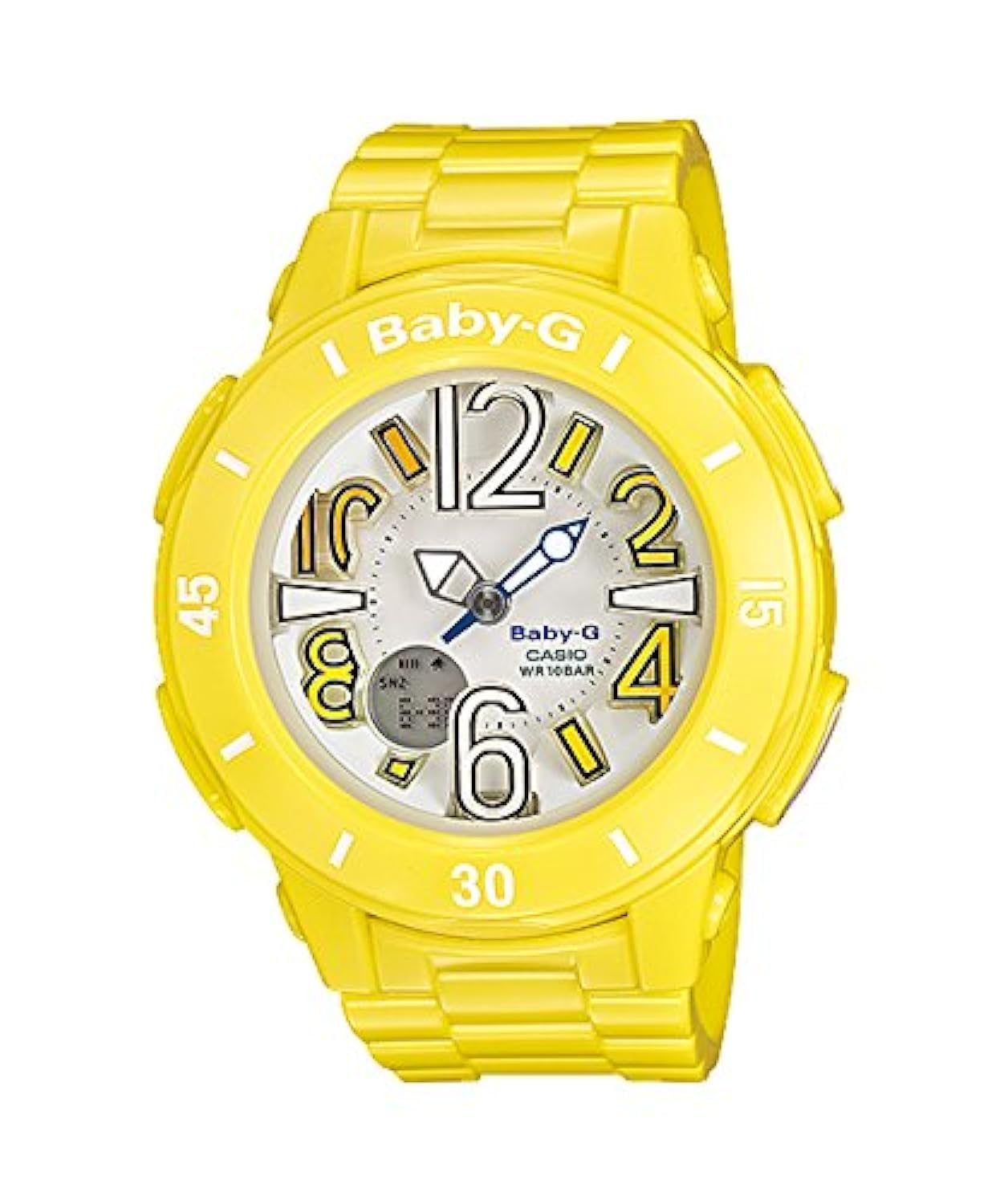
Hình ảnh: Mặt trước view của đồng hồ Casio Baby-G BGA-170-9BDR, trưng bàyasing its yellow resin band and case, and the white dial with large, stylized numbers.
Hoạt động
Nguyên tắc chấm công cơ bản
The watch displays time in both analog (hands) and digital formats. The analog hands show the current hour and minute, while the digital display provides additional information such as seconds, day of the week, and date. Ensure the time is synchronized between the analog and digital displays after setting.
Sử dụng đèn nền
To illuminate the watch face in low-light conditions, press the light button (typically located on the upper right or lower right side of the watch case). The backlight will activate for a few seconds, making the display visible. This model features a bright LED backlight.

Image: Close-up of the Casio Baby-G BGA-170-9BDR watch face with its green LED backlight activated, clearly showing the time and day of the week in the dark.
Các chức năng khác
Your Baby-G watch may include various functions such as a stopwatch, countdown timer, multiple alarms, and world time. Consult the full Casio module manual for detailed instructions on how to access and operate each specific function using the watch's buttons.
BẢO TRÌ
Vệ sinh
Để làm sạch đồng hồ, hãy lau bằng vải mềm, khô. Đối với những vết bẩn cứng đầu, hãy dùng vải mềm chuyên dụng.ampened with water and a mild neutral detergent, then wipe dry. Avoid using volatile agents like thinner, gasoline, alcohol, or chemical cleaners, as they can damage the resin components and finish.
Chống nước
This watch is water resistant up to 100 meters (10 BAR). This means it is suitable for swimming, showering, and snorkeling. However, avoid operating buttons while the watch is submerged in water or wet, as this can compromise the water resistance. After exposure to saltwater, rinse the watch with fresh water and wipe it dry.
Thay thế pin
When the battery needs replacement, it is highly recommended to take your watch to an authorized Casio service center or a reputable watch repair shop. This ensures that the correct battery type is used and that the watch's water resistance gasket is properly inspected and replaced if necessary.
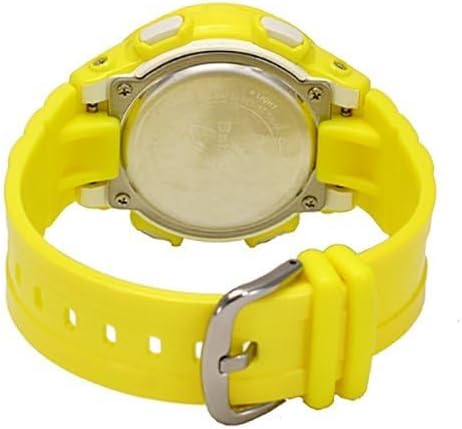
Hình ảnh: Phía sau view of the Casio Baby-G BGA-170-9BDR watch, showing the stainless steel case back and the yellow resin band with its buckle.
Xử lý sự cố
Hiển thị thời gian không chính xác
If the analog or digital time is incorrect, refer to the 'Initial Time Setting' section under Setup and the official Casio module manual to re-adjust the time. Ensure both analog and digital displays are synchronized.
Màn hình kỹ thuật số trống hoặc mờ
A blank or dim digital display often indicates a low battery. Arrange for battery replacement as soon as possible. If the issue persists after battery replacement, contact customer support.
Các nút không phản hồi
If buttons are unresponsive, check if the watch is in a special mode (e.g., locked mode, if applicable). If not, a low battery could be the cause. If the problem continues, professional inspection may be required.
Thông số kỹ thuật
- Số hiệu mẫu: BGA-170-9BDR
- Thương hiệu: Casio
- Phòng: Phụ nữ
- Kiểu hiển thị: Analog-Digital
- Kiểu chuyển động: Thạch anh Nhật Bản
- Nguồn điện: Battery (1 Lithium-metal, included)
- Khả năng chống nước: 100 mét (10 bar)
- Chất liệu vỏ hộp: Nhựa (Nhựa)
- Vật liệu pha lê: Kính khoáng
- Đường kính vỏ: Approximately 50 Millimeters
- Độ dày vỏ: Approximately 14 Millimeters
- Độ rộng băng tần: Approximately 16 Millimeters
- Màu băng: Màu vàng
- Màu mặt đồng hồ: Trắng
- Kiểu móc khóa: Khóa thắt lưng
- Kích thước sản phẩm: 9.8 x 11 x 9.8 cm; 45 g
Bảo hành
This Casio Baby-G BGA-170-9BDR watch comes with a 2-year warranty provided by Amazon.com, facilitated by Asurion. This warranty covers manufacturing defects and malfunctions under normal use. Please retain your proof of purchase for warranty claims. For specific terms and conditions, refer to the warranty documentation provided at the time of purchase or contact Amazon.com customer service.

Hình ảnh: Một người cũample of a warranty card. Please refer to your specific Amazon.com warranty details for accurate coverage.
Ủng hộ
For further assistance, detailed operating instructions, or service inquiries, please refer to the official Casio website or contact Casio customer support directly. You may also contact Amazon.com customer service for warranty-related questions or product support.
Chính thức của Casio Webđịa điểm: www.casio.com
Amazon.com Customer Service: Visit the 'Help' section on the Amazon.com webđịa điểm.