
1. Giới thiệu
Cảm ơn bạn đã muaasing the Lexon LR98R1 Onoff LCD Alarm Clock. This manual provides detailed instructions for the proper setup, operation, and maintenance of your device. Please read this manual thoroughly before use and retain it for future reference.
The Lexon Onoff alarm clock features a unique design where flipping the clock activates or deactivates the alarm. It includes an LCD display with a blue electroluminescent backlight for clear visibility.
2. Thông tin an toàn
- Không để thiết bị ở nơi có nhiệt độ quá cao, ánh nắng trực tiếp hoặc độ ẩm cao.
- Tránh làm rơi thiết bị hoặc để thiết bị chịu tác động mạnh.
- Do not attempt to disassemble or modify the alarm clock. This will void the warranty.
- Để thiết bị tránh xa nước và các chất lỏng khác.
- Vứt bỏ pin đã qua sử dụng một cách có trách nhiệm theo quy định của địa phương.
- Use only the specified battery type (2 x AAA).
3. Nội dung gói hàng
Đảm bảo tất cả các mục đều có trong gói hàng:
- Lexon LR98R1 Onoff LCD Alarm Clock
- Hướng dẫn sử dụng (tài liệu này)
Lưu ý: Pin AAA không bao gồm và phải mua riêng.
4. Sản phẩm hếtview
Familiarize yourself with the components of your Lexon Onoff alarm clock.
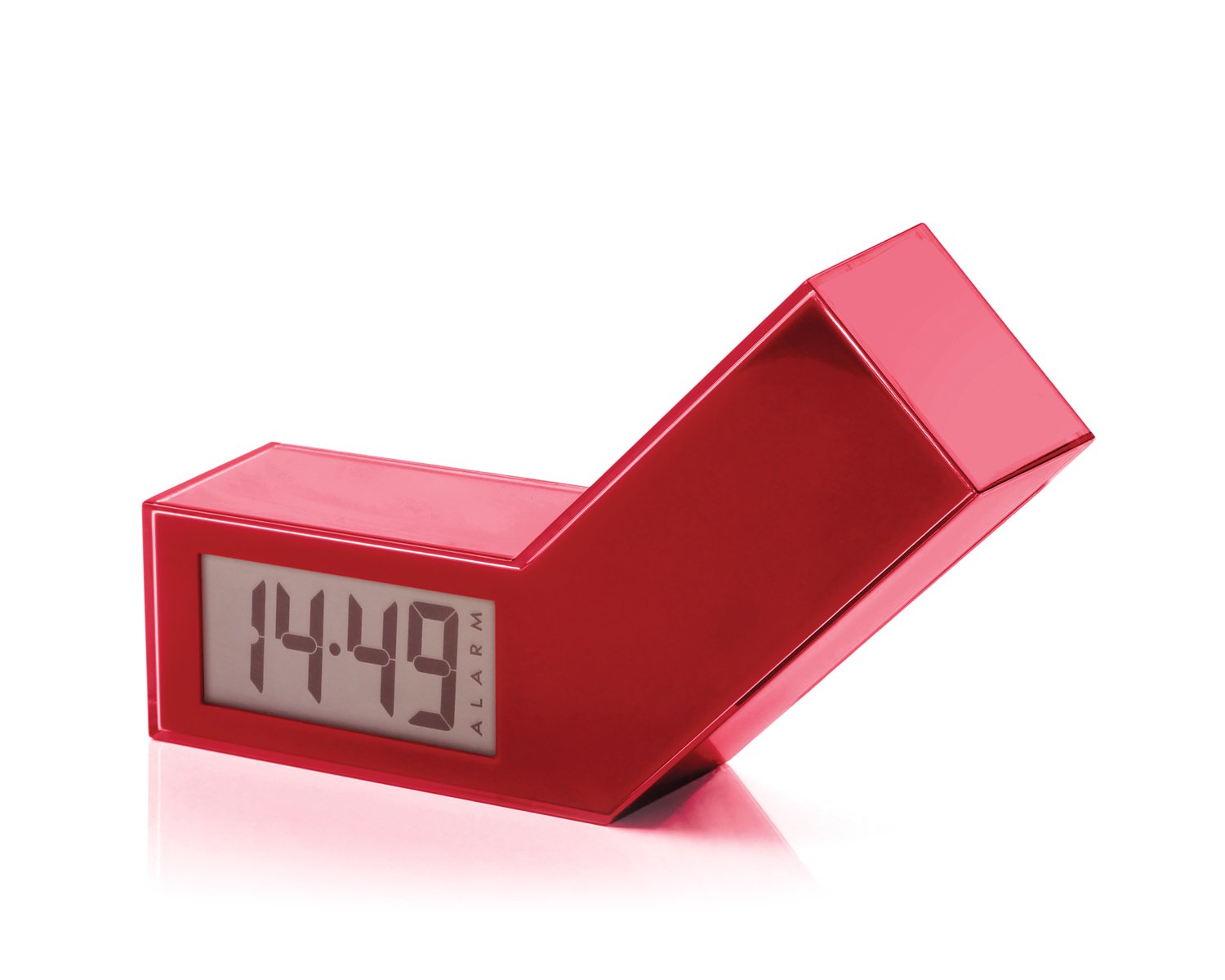
Hình 1: Mặt trước view of the Lexon LR98R1 Onoff LCD Alarm Clock. The image displays the alarm clock in its red casing, with the LCD screen visible. The side labeled 'ON' is facing upwards, indicating the alarm is active. The clock has a minimalist rectangular design.
While specific button labels are not visible in the provided image, typical alarm clock controls are usually located on the back or sides. These generally include:
- Nút cài đặt thời gian: To adjust the current time.
- Nút cài đặt báo thức: To adjust the alarm time.
- Hour/Minute Adjustment Buttons: To change hour and minute values.
- Nút báo lại/đèn sáng: To temporarily silence the alarm or activate the backlight.
- Ngăn chứa pin: Located on the back or bottom.
5. Thiết lập
5.1 Lắp đặt pin
- Locate the battery compartment cover on the back or bottom of the alarm clock.
- Trượt hoặc nhấc nắp để mở ngăn.
- Lắp hai (2) pin AAA, đảm bảo đúng cực (+ và -) như được chỉ dẫn bên trong ngăn chứa.
- Lắp lại nắp ngăn chứa pin một cách an toàn.
Note: Batteries are not included. Please use new AAA alkaline batteries for optimal performance.
5.2 Bật nguồn ban đầu
Once batteries are installed, the LCD display should illuminate, and the clock will typically start at a default time (e.g., 12:00 AM). You will then need to set the current time and alarm.
6. Hướng dẫn vận hành
6.1 Cài đặt thời gian hiện tại
- Nhấn và giữ ĐẶT THỜI GIAN button (or similar, refer to device markings) until the hour digits begin to flash.
- Sử dụng GIỜ Và PHÚT adjustment buttons to set the correct hour and minute.
- Nhấn ĐẶT THỜI GIAN Nhấn lại để xác nhận và thoát khỏi chế độ cài đặt thời gian.
6.2 Cài đặt thời gian báo thức
- Nhấn và giữ ĐỒNG HỒ BÁO THỨC button (or similar) until the alarm hour digits begin to flash.
- Sử dụng GIỜ Và PHÚT adjustment buttons to set your desired alarm time.
- Nhấn ĐỒNG HỒ BÁO THỨC Lặp lại thao tác xác nhận và thoát khỏi chế độ cài đặt báo động.
6.3 Activating/Deactivating the Alarm (Onoff Feature)
The Lexon Onoff alarm clock features a unique flip mechanism:
- ĐẾN KÍCH HOẠT the alarm, place the clock with the side labeled "ON" facing upwards. An alarm icon should appear on the LCD display.
- ĐẾN HÃY KÍCH HOẠT the alarm, flip the clock so the side labeled "TẮT" is facing upwards. The alarm icon should disappear from the display.
6.4 Silencing the Alarm / Snooze Function
- Khi báo thức kêu, hãy bấm TUYỆT ĐỐI / ÁNH SÁNG button (usually a large button on top) to temporarily silence the alarm. The alarm will sound again after a few minutes (typically 5-10 minutes).
- To completely turn off the alarm for the day, flip the clock to the "TẮT" chức vụ.
6.5 Đèn nền màn hình
Nhấn nút TUYỆT ĐỐI / ÁNH SÁNG button to activate the blue electroluminescent backlight for a few seconds, allowing you to view thời gian trong điều kiện ánh sáng yếu.
7. Bảo trì
7.1 Vệ sinh
Wipe the surface of the alarm clock with a soft, dry cloth. Do not use abrasive cleaners, solvents, or chemical sprays, as these may damage the finish or electronic components.
7.2 Thay thế pin
When the display dims or the alarm function becomes unreliable, it is time to replace the batteries. Follow the battery installation steps in Section 5.1. Always replace both AAA batteries at the same time.
KHAI THÁC. Xử lý sự cố
| Vấn đề | Nguyên nhân có thể | Giải pháp |
|---|---|---|
| Màn hình trống hoặc mờ. | Pin đã hết hoặc lắp không đúng cách. | Thay pin bằng pin AAA mới, đảm bảo lắp đúng cực. |
| Chuông báo động không kêu. | Alarm is not activated (clock is in "OFF" position) or alarm time is not set. | Flip the clock to the "ON" position. Verify the alarm time is set correctly (Section 6.2). Ensure batteries are not low. |
| Thời gian không chính xác. | Time was not set correctly or batteries were removed/replaced. | Reset the current time (Section 6.1). |
| Đèn nền không hoạt động. | Pin yếu. | Thay pin. |
9. Thông số kỹ thuật
| Số hiệu mẫu | LR98R1 |
| Thương hiệu | Tiếng Việt |
| Kiểu hiển thị | LCD with Blue Electroluminescent Backlight |
| Nguồn điện | 2 x Pin AAA (không bao gồm) |
| Vật liệu | ABS / Injected Polycarbonate |
| Kích thước (D x R x C) | 13.5 x 3.5 x 8 cm (khoảng 5.3 x 1.4 x 3.1 inch) |
| Kiểu chuyển động | thạch anh |
| Tính năng đặc biệt | Onoff flip alarm activation/deactivation, Snooze function |
10. Bảo hành và Hỗ trợ
The Lexon LR98R1 Onoff LCD Alarm Clock comes with a Bảo hành 2 năm của nhà sản xuất kể từ ngày mua. Bảo hành này bao gồm các lỗi về vật liệu và tay nghề trong quá trình sử dụng bình thường.
Bảo hành không bao gồm:
- Thiệt hại do tai nạn, lạm dụng, sử dụng sai mục đích, lũ lụt, hỏa hoạn, động đất hoặc các nguyên nhân bên ngoài khác.
- Hư hỏng do vận hành sản phẩm ngoài phạm vi cho phép hoặc mục đích sử dụng được mô tả trong sách hướng dẫn này.
- Damage caused by service performed by anyone who is not an authorized representative of Lexon.
- Products or parts that have been modified to alter functionality or capability without the written permission of Lexon.
For warranty claims or technical support, please contact Lexon customer service through their official website or your retailer. Please have your proof of purchase and model number (LR98R1) ready.