
1. Giới thiệu
This manual provides essential information for the safe and efficient operation of your Sharp KC-A50EU-W Air Purifier. This device is designed to improve indoor air quality by filtering dust, pollen, mold spores, and odors, while also offering humidification using Plasmacluster ion technology. Please read these instructions thoroughly before use and retain them for future reference.
Thông tin an toàn quan trọng
- Luôn đảm bảo thiết bị được đặt trên bề mặt ổn định và bằng phẳng.
- Không được chặn các lỗ thông gió hút hoặc thoát khí.
- Giữ thiết bị tránh xa nước và độ ẩm.
- Rút phích cắm của thiết bị trước khi vệ sinh hoặc thực hiện bất kỳ bảo trì nào.
- Không nên tự ý sửa chữa thiết bị. Hãy liên hệ với nhân viên dịch vụ có chuyên môn.
2. Sản phẩm hếtview
The Sharp KC-A50EU-W is an advanced air purifier and humidifier designed for rooms up to 38 m². It features Plasmacluster ion technology to neutralize airborne pollutants and a multi-staghệ thống lọc e.

Hình 2.1: Đằng trước view of the Sharp KC-A50EU-W Air Purifier, showing the main body and air outlet.
Các tính năng chính:
- Plasmacluster Ion Technology: Releases positive and negative ions to clean the air.
- Humidification Function: Adds moisture to the air for improved comfort.
- High Air Circulation: Efficiently processes air in rooms up to 38 m².
- Nhiều stage Lọc: Includes a HEPA filter for fine particles and an odor filter.
- Hoạt động yên tĩnh: Designed for minimal noise output.
3. Thiết lập
3.1 Tháo dỡ
- Cẩn thận lấy máy lọc không khí ra khỏi bao bì.
- Remove all protective materials and plastic bags.
- Check for any damage during transit. If damaged, do not operate and contact your retailer.
3.2 Vị trí
For optimal performance, place the air purifier in a location where air can circulate freely. Avoid placing it directly against walls or furniture. Ensure it is on a flat, stable surface. The unit is suitable for floor areas up to 24 square meters (as per specifications, though product description states 38m², use the more conservative spec for placement advice).

Hình 3.1: Bên view of the air purifier, showing the air intake grille. Ensure this area is unobstructed.
3.3 Cài đặt bộ lọc
Before first use, ensure all filters are correctly installed and any protective plastic packaging has been removed from them. Refer to the maintenance section for detailed filter handling.
4. Hướng dẫn vận hành
The control panel allows you to manage the various functions of your air purifier.

Hình 4.1: Close-up of the control panel, showing buttons for power, fan speed, Plasmacluster, and humidification.
4.1 Bật/Tắt nguồn
- Cắm dây nguồn vào ổ cắm điện phù hợp (220V).
- Nhấn nút BẬT/TẮT Nhấn nút để bật thiết bị. Thiết bị sẽ khởi động ở chế độ mặc định.
- Nhấn nút BẬT/TẮT một lần nữa để tắt thiết bị.
4.2 Điều chỉnh tốc độ quạt
Sử dụng TỐC ĐỘ QUẠT button to cycle through different fan settings (e.g., Low, Medium, High, Auto). The current setting will be indicated on the display or by indicator lights.
4.3 Plasmacluster Ion Operation
Nhấn nút CLEAN ION SHOWER ON button to activate the Plasmacluster ion generator. This function helps to remove airborne viruses, bacteria, and odors. An indicator light will confirm activation.
4.4 Chức năng tạo ẩm
- Đảm bảo bình chứa nước chứa đầy nước sạch.
- Nhấn nút CLEAN AIR & HUMIDIFY ON button to activate the humidification function.
- The unit will automatically maintain a comfortable humidity level.
- The humidity level may be displayed on the control panel.
4.5 Khóa trẻ em
To prevent accidental operation, press and hold the KHÓA TRẺ EM button for 3 seconds to activate or deactivate the child lock function.
5. Bảo trì
Regular maintenance ensures optimal performance and extends the life of your air purifier. Always unplug the unit before cleaning or performing maintenance.
5.1 Vệ sinh và thay thế bộ lọc
The Sharp KC-A50EU-W uses multiple filters that require periodic cleaning or replacement.
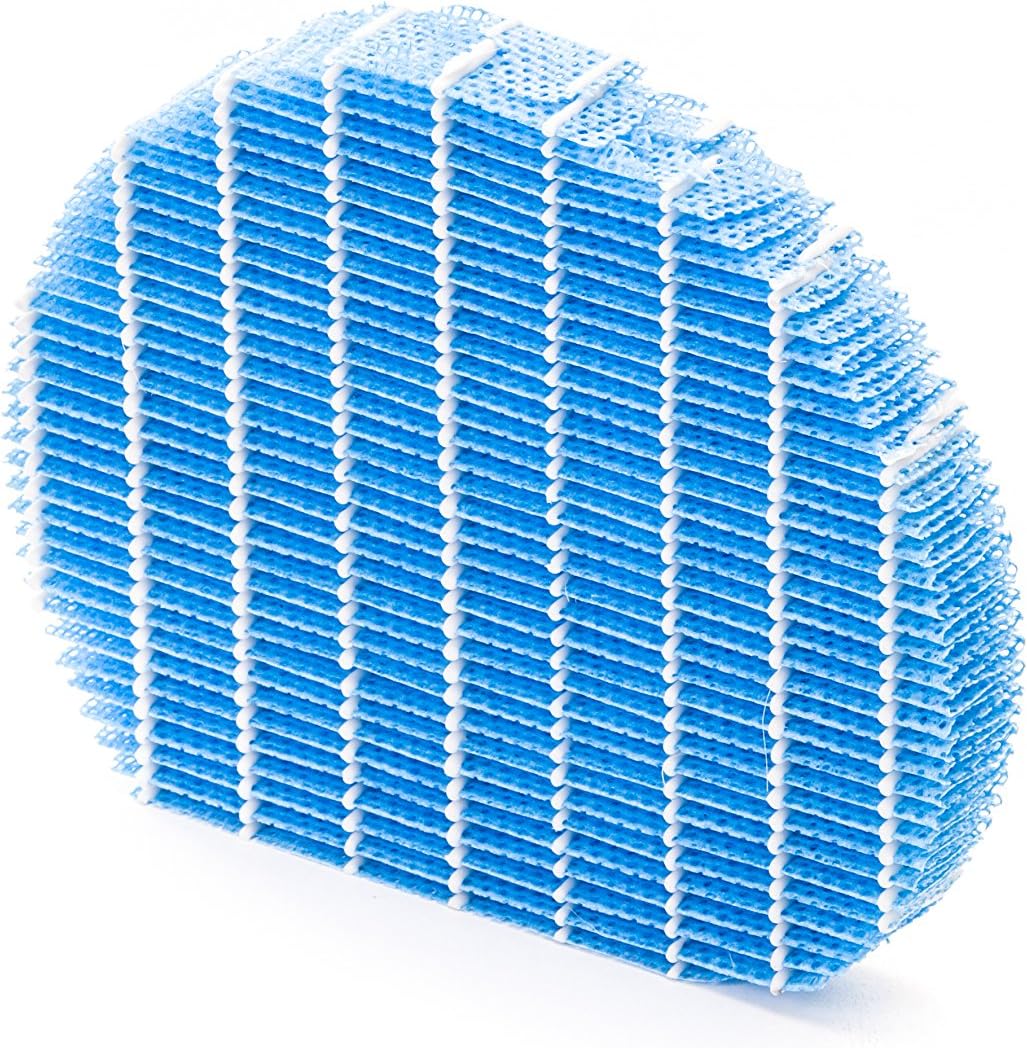
Hình 5.1: Example of a humidifying filter component, which requires regular cleaning.
- Bộ lọc trước: Clean regularly (e.g., monthly) by vacuuming or washing with water. Allow to dry completely before reinstallation.
- Bộ lọc HEPA: This filter captures fine dust and allergens. It cannot be washed and must be replaced. The replacement interval can vary, but typically ranges from 2 to 5 years depending on usage and air quality. Monitor the filter's condition; if it appears significantly discolored (e.g., black instead of white), replace it immediately.
- Deodorizing Filter (Activated Carbon): This filter removes odors. It can often be washed periodically (e.g., every few months) to refresh its effectiveness. Allow to dry completely. Replace when odors persist after cleaning.
- Humidifying Filter: If using the humidification function, clean the humidifying filter and its tray at least every 4 weeks to prevent mold and bacteria growth. Use a mild detergent and rinse thoroughly.
5.2 Vệ sinh bể chứa nước
For units with humidification, clean the water tank regularly (e.g., weekly) to prevent mineral buildup and bacterial growth. Use a soft brush and mild detergent, then rinse thoroughly with clean water.
5.3 Vệ sinh bên ngoài
Lau bên ngoài thiết bị bằng vải mềm, damp vải. Không sử dụng chất tẩy rửa có tính mài mòn hoặc dung môi.
KHAI THÁC. Xử lý sự cố
If you encounter issues with your Sharp KC-A50EU-W, refer to the following common problems and solutions.
| Vấn đề | Nguyên nhân có thể | Giải pháp |
|---|---|---|
| Thiết bị không bật. | Power cord not properly connected; no power at outlet. | Ensure power cord is securely plugged in. Check the power outlet with another device. |
| Hiệu suất lọc không khí kém. | Filters are dirty or clogged; filters incorrectly installed. | Clean or replace filters as per maintenance instructions. Ensure filters are installed correctly. |
| Humidification not working or low output. | Water tank is empty; humidifying filter is dirty or clogged. | Refill the water tank. Clean the humidifying filter and tray. |
| Tiếng ồn bất thường phát ra từ thiết bị. | Obstruction in fan; unit not on a level surface. | Check for any foreign objects near the fan. Place the unit on a stable, level surface. |
| Mùi khó chịu dai dẳng. | Deodorizing filter is saturated or needs cleaning/replacement. | Clean or replace the deodorizing filter. |
Nếu sự cố vẫn tiếp diễn sau khi đã thử các giải pháp này, vui lòng liên hệ với bộ phận hỗ trợ khách hàng.
7. Thông số kỹ thuật
- Số hiệu mẫu: KC-A50EU-W
- Nhà sản xuất: Sắc
- Màu sắc: Trắng
- Kích thước sản phẩm (D x R x C): 24 x 69 x 2.5cm
- Trọng lượng sản phẩm: 9.2 kg (9200 gram)
- Nguồn điện: 220V
- Loại bộ lọc: HEPA
- Diện tích sàn đề xuất: 24 mét vuông
- Mức độ tiếng ồn: 49 Decibel
- Vật liệu: Nhựa
- Nước xuất xứ: Nhật Bản
8. Bảo hành và Hỗ trợ
Để biết thông tin bảo hành và hỗ trợ khách hàng, vui lòng tham khảo thẻ bảo hành đi kèm sản phẩm hoặc truy cập trang web chính thức của Sharp. webtrang web dành cho khu vực của bạn. Giữ lại biên lai mua hàng làm bằng chứng mua hàng.


