
1. Giới thiệu
This manual provides essential instructions for the safe and efficient operation of your Sharp CD-DH950P 240W Mini-Component System. This system features a 5-disc CD changer, a cassette deck, an iPod/iPhone docking station, a USB host for digital audio playback, and an AM/FM tuner. Please read this manual thoroughly before using the system and retain it for future reference.
2. Thông tin an toàn
- Nguồn điện: Chỉ kết nối thiết bị với ổ cắm điện xoay chiều có điện áp được chỉ định.tage.
- Thông gió: Đảm bảo thông gió đầy đủ. Không chặn các lỗ thông gió.
- Nước và độ ẩm: Không để thiết bị tiếp xúc với mưa, hơi ẩm hoặc chất lỏng nhỏ giọt/bắn tung tóe.
- Nhiệt: Đặt thiết bị tránh xa các nguồn nhiệt như lò sưởi, lỗ thông hơi, bếp hoặc các thiết bị khác sinh nhiệt.
- Vệ sinh: Rút phích cắm thiết bị khỏi ổ điện trước khi vệ sinh. Sử dụng khăn mềm, khô.
- Bảo dưỡng: Đừng cố gắng tự bảo dưỡng sản phẩm này. Giới thiệu tất cả các dịch vụ cho nhân viên dịch vụ có trình độ.
3. Nội dung gói hàng
Xác minh rằng gói của bạn chứa các mục sau:
- Main Unit (CD-DH950P)
- Loa trái
- Loa phải
- Điều khiển từ xa có pin
- Ăng-ten vòng AM
- Ăng ten dây FM
- Dây nguồn
4. Thiết lập
4.1 Kết nối loa
Connect the speaker wires from the main unit to the corresponding terminals on the back of each speaker. Ensure correct polarity (red to red, black to black) for optimal sound quality. The left speaker connects to the left speaker output, and the right speaker to the right speaker output.
4.2 Connecting the Antennas
- Ăng ten FM: Connect the supplied FM wire antenna to the FM antenna terminal on the rear of the main unit. Extend the wire for better reception.
- Ăng-ten AM: Connect the supplied AM loop antenna to the AM antenna terminals on the rear of the main unit. Position the antenna for best reception.
4.3 kết nối nguồn
Plug the power cord into the AC IN jack on the rear of the main unit, then plug the other end into a standard AC wall outlet.
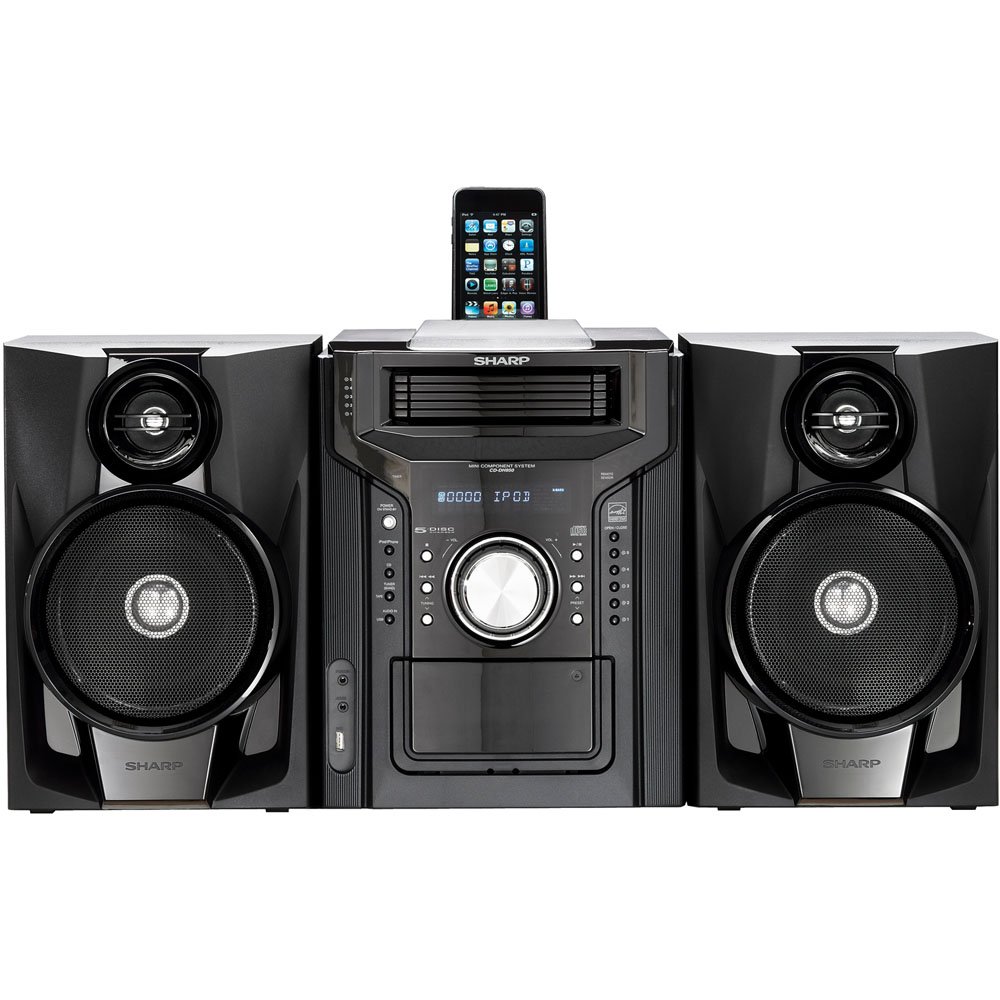
Hình 4.3.1: Tổng thể view of the Sharp CD-DH950P Mini-Component System, showing the main unit flanked by two speakers, with an iPhone docked on top of the main unit.
5. Hướng dẫn vận hành
5.1 Bật/Tắt nguồn và Điều khiển âm lượng
- Nhấn nút QUYỀN LỰC Sử dụng nút trên bảng điều khiển phía trước hoặc điều khiển từ xa để bật hoặc tắt thiết bị.
- Xoay ÂM LƯỢNG núm vặn trên bảng điều khiển phía trước hoặc sử dụng VÒNG +/- Các nút trên điều khiển từ xa dùng để điều chỉnh mức âm lượng.
5.2 Phát lại CD
This system features a 5-disc CD changer.
- Nhấn nút MỞ/ĐÓNG nút để mở khay CD.
- Place up to five CDs on the disc trays, label side up.
- Nhấn MỞ/ĐÓNG một lần nữa để đóng khay.
- Nhấn nút CD nút để chọn chức năng CD.
- Nhấn nút PHÁT/TẠM DỪNG để bắt đầu phát lại.
- Sử dụng NHẢY buttons to navigate between tracks or discs.
5.3 Cassette Deck Operation
- Nhấn nút TAPE OPEN/CLOSE button to open the cassette deck.
- Chèn một băng cassette.
- Nhấn nút BĂNG Nút để chọn chức năng băng cassette.
- Nhấn CHƠI để bắt đầu phát lại.
- To record, ensure the source is selected (e.g., CD, Tuner) and press the GHI button on the cassette deck.
5.4 Đế cắm iPod/iPhone
The system includes a top-mounted docking slot for compatible iPod and iPhone devices (30-pin connector).
- Carefully place your iPod or iPhone into the docking slot.
- The system will automatically switch to iPod/iPhone mode or you may need to press the iPod / iPhone cái nút.
- Use the system's controls or your device's controls to play music. The device will also charge while docked.
5.5 USB Host Playback
Connect a USB storage device containing MP3 or WMA audio files to the USB port on the front panel.
- Cắm thiết bị USB vào cổng USB.
- Nhấn nút USB button to select the USB function.
- Use the playback controls to navigate and play files.
Bộ dò đài AM/FM 5.6
- Nhấn nút TUNER button to select AM or FM radio.
- Sử dụng ĐIỀU CHỈNH +/- các nút để dò đài theo cách thủ công.
- To auto-scan, press and hold the ĐIỀU CHỈNH +/- nút bấm.
- To store a preset, tune to the desired station, then press KÝ ỨC theo sau là một số được thiết lập sẵn.
5.7 đầu vào âm thanh
Connect an external audio device (e.g., MP3 player, smartphone) to the AUDIO IN jack on the front panel using a 3.5mm stereo cable.
- Connect your device to the AUDIO IN jack.
- Nhấn nút ÂM THANH TRONG button to select this source.
- Điều khiển quá trình phát lại từ thiết bị đã kết nối của bạn.
6. Bảo trì
6.1 Vệ sinh thiết bị
Wipe the exterior of the unit with a soft, dry cloth. Do not use abrasive cleaners, waxes, or solvents. Ensure the unit is unplugged before cleaning.
6.2 Hướng dẫn bảo quản đĩa CD và băng cassette
- Handle CDs by their edges to avoid fingerprints and scratches. Clean discs with a soft, lint-free cloth from the center outwards.
- Store cassette tapes away from strong magnetic fields and direct sunlight.
KHAI THÁC. Xử lý sự cố
| Vấn đề | Nguyên nhân có thể | Giải pháp |
|---|---|---|
| Không có điện | Dây nguồn không được kết nối; Ổ cắm điện bị lỗi | Đảm bảo dây nguồn được cắm chắc chắn; Thử cắm vào ổ cắm khác. |
| Không có âm thanh | Âm lượng quá nhỏ; Loa chưa được kết nối; Đã chọn nguồn không chính xác. | Tăng âm lượng; Kiểm tra kết nối loa; Chọn nguồn đầu vào chính xác. |
| CD không phát | Disc inserted incorrectly; Disc is dirty or scratched | Insert disc correctly (label side up); Clean or replace disc |
| Thu sóng radio kém | Antenna not positioned correctly; Weak signal | Adjust position of AM/FM antennas; Try auto-tuning or manual fine-tuning |
| iPod/iPhone not charging/playing | Device not properly docked; Device not compatible (e.g., newer connector) | Re-dock the device; Note that this system uses a 30-pin connector, newer devices may require an adapter (not included) |
8. Thông số kỹ thuật
- Thương hiệu: Sắc
- Người mẫu: CD-DH950P
- Tổng công suất đầu ra: 240 Watts RMS (85W/ch FTC)
- Cấu hình loa: 2.1 Kênh
- Định dạng âm thanh được hỗ trợ: CD, MP3, WMA
- Tỷ lệ tín hiệu trên tạp âm: 100 dB
- Thiết bị tương thích: MP3 Player, Smartphone (via 30-pin dock or USB/Audio In)
- Kích thước (D x R x C): 27.6 x 13.6 x 13.5 inch
- Trọng lượng sản phẩm: 24.4 Bảng Anh
- UPC: 074000369863, 074000369290
9. Thông tin bảo hành
This product is covered by a 1-year limited warranty from the date of purchase. Please refer to the warranty card included with your product for full terms and conditions, or contact Sharp customer service for details.
10. Hỗ trợ
For further assistance, technical support, or service inquiries, please contact Sharp customer service. Contact information can typically be found on the Sharp official webtrang web hoặc trong tài liệu đi kèm với sản phẩm của bạn.


