
Giới thiệu
This manual provides essential information for the safe and efficient operation of your Brookstone iDesign Tower Stereo System. Please read this manual thoroughly before using the product and retain it for future reference.
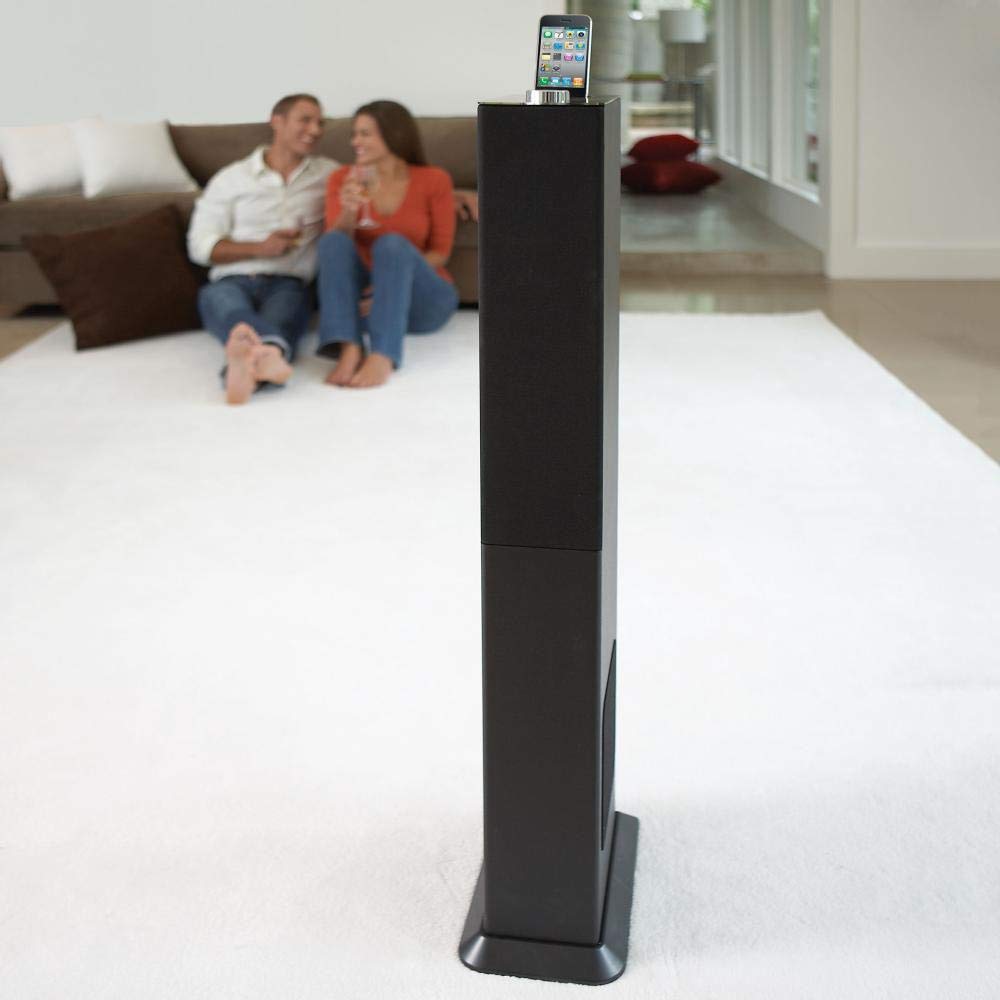
Image: The Brookstone iDesign Tower Stereo System, a tall, slender speaker unit designed for audio playback and device charging.
Thông tin an toàn
- Nguồn điện: Chỉ sử dụng bộ chuyển đổi nguồn được chỉ định. Đảm bảo âm lượng.tage phù hợp với nguồn điện địa phương của bạn.
- Thông gió: Không chặn bất kỳ lỗ thông gió nào. Lắp đặt theo hướng dẫn của nhà sản xuất.
- Nước và độ ẩm: Không để thiết bị này tiếp xúc với mưa hoặc hơi ẩm. Không đặt các vật chứa chất lỏng, chẳng hạn như bình hoa, lên thiết bị.
- Nhiệt: Không lắp đặt gần bất kỳ nguồn nhiệt nào như bộ tản nhiệt, thanh nhiệt, bếp lò hoặc các thiết bị khác (bao gồm amplò phản ứng) tạo ra nhiệt.
- Vệ sinh: Chỉ lau sạch bằng vải khô.
- Bảo dưỡng: Giới thiệu tất cả các dịch vụ cho nhân viên dịch vụ có trình độ. Cần bảo dưỡng khi thiết bị bị hư hỏng theo bất kỳ cách nào.
Nội dung gói
Vui lòng kiểm tra xem tất cả các mục có trong gói hàng không:
- iDesign Tower Stereo System
- Điều khiển từ xa
- Bộ đổi nguồn
- Hướng dẫn sử dụng (tài liệu này)
- Note: iPod/iPhone devices are not included.
Sản phẩm trênview
The iDesign Tower Stereo System features a sleek design with integrated speakers and a docking station for compatible Apple devices. It includes a backlit on/volume knob and a remote control for convenient operation, delivering full, deep bass, crisp, clear highs, and warm middle tones.
Các thành phần chính:
- Lưới loa: Multi-angled speakers for room-filling sound.
- Docking Port: For iPod and iPhone devices (1st and 2nd generation iPod touch, iPod classic, 4th and 5th generation iPod nano, iPhone 3GS, iPhone 3G, iPhone).
- On/Volume Knob: Backlit control for power and volume adjustment.
- Đầu vào phụ trợ: For connecting other audio devices (cable not included).
- Công suất đầu vào: Để kết nối bộ đổi nguồn.
- Cảm biến điều khiển từ xa: Nhận tín hiệu từ điều khiển từ xa.
Cài đặt
XUẤT KHẨU. Vị trí
Place the iDesign Tower Stereo System on a stable, flat surface. Ensure there is adequate space around the unit for proper ventilation. Avoid placing it in direct sunlight or near heat sources.
2. Kết nối nguồn điện
- Connect the power adapter cable to the Power Input port on the back of the iDesign Tower Stereo System.
- Cắm bộ đổi nguồn vào ổ cắm tường tiêu chuẩn.
3. Device Docking (iPod/iPhone)
The system is designed for specific iPod and iPhone models:
- iPod touch (1st and 2nd generation)
- iPod cổ điển
- iPod nano (4th and 5th generation)
- iPhone 3GS
- iPhone 3G
- iPhone
Carefully align your compatible iPod or iPhone device with the docking port and gently push it down until it is securely seated. The device will begin charging automatically when docked and the system is powered on.
4. Auxiliary Input (Optional)
To connect other audio devices (e.g., MP3 players, CD players) that are not compatible with the docking port, use a 3.5mm audio cable (not included) to connect the device's headphone output to the Auxiliary Input port on the iDesign Tower Stereo System.
Hướng dẫn sử dụng
1. Bật/Tắt nguồn
Press the On/Volume knob to turn the system on or off. The knob will illuminate when the system is powered on.
2. Điều khiển âm lượng
Rotate the On/Volume knob clockwise to increase the volume and counter-clockwise to decrease it. You can also adjust the volume using the remote control.
3. Lựa chọn nguồn
The system automatically detects a docked iPod or iPhone. If an auxiliary device is connected, you may need to select the input source using the remote control (if available) or by cycling through inputs with a dedicated button (refer to remote control section for details).
4. Sử dụng điều khiển từ xa
The included remote control allows you to manage playback functions (play, pause, skip tracks) and volume for your docked iPod or iPhone from a distance. Point the remote control towards the sensor on the front of the tower system.
5. Thiết bị sạc
When a compatible iPod or iPhone is docked and the system is powered on, the device will charge automatically.
BẢO TRÌ
Vệ sinh
Wipe the exterior of the system with a soft, dry cloth. Do not use liquid cleaners or aerosol sprays, as these may damage the finish or internal components. Ensure the system is unplugged before cleaning.
Kho
If storing the system for an extended period, unplug it from the power outlet and store it in a cool, dry place, away from direct sunlight and extreme temperatures.
Xử lý sự cố
| Vấn đề | Nguyên nhân có thể | Giải pháp |
|---|---|---|
| Không có điện | Bộ chuyển đổi nguồn không được kết nối hoặc ổ cắm không hoạt động. | Ensure power adapter is securely connected to the system and a working wall outlet. |
| Không có âm thanh phát ra từ thiết bị được kết nối. | Device not properly docked; volume too low; device not playing. | Re-seat the device in the dock. Increase system volume and device volume. Ensure music is playing on the device. |
| Không có âm thanh từ đầu vào phụ. | Auxiliary cable not connected; incorrect source selected; volume too low. | Ensure auxiliary cable is securely connected. Select auxiliary input. Increase system and source device volume. |
| Điều khiển từ xa không hoạt động | Batteries dead; remote not pointed at sensor; obstruction. | Replace remote control batteries. Point remote directly at the sensor. Remove any obstructions between remote and system. |
| Thiết bị không sạc | Device not compatible; system not powered on; device not properly docked. | Verify device compatibility (see Setup section). Ensure system is powered on. Re-seat the device in the dock. |
Thông số kỹ thuật
- Người mẫu: B003YB9T2C
- Thương hiệu: Đá Suối
- Kích thước gói hàng: 42.6 x 14 x 8.6 inch
- Trọng lượng sản phẩm: 28.3 pound
- Đầu tiên có sẵn: Ngày 10 tháng 2010 năm XNUMX
- Khả năng tương thích: iPod touch (1st/2nd gen), iPod classic, iPod nano (4th/5th gen), iPhone 3GS, iPhone 3G, iPhone.
Bảo hành và Hỗ trợ
For warranty information and customer support, please refer to the documentation included with your purchase or visit the official Brookstone webtrang web. Giữ lại bằng chứng mua hàng để yêu cầu bảo hành.
"Made for iPod" and "Made for iPhone" mean that an electronic accessory has been designed to connect specifically to iPod or iPhone, respectively, and has been certified by the developer to meet Apple performance standards. Apple is not responsible for the operation of this device or its compliance with safety and regulatory standards. Please note that the use of this accessory with iPod or iPhone may affect wireless performance.


