
Giới thiệu
This manual provides detailed instructions for the operation and maintenance of your Garmin GPSMAP 78sc 2.6-Inch Waterproof Marine GPS and Chartplotter. The GPSMAP 78sc series is designed for recreational navigation, featuring a bright 2.6-inch LCD color display, built-in basemap, and a high-sensitivity GPS receiver. All models are waterproof to IPX7 standards and float in water, making them suitable for boating and watersports. Key features include a built-in microSD card slot for additional maps and a dedicated Man Over Board (MOB) button.
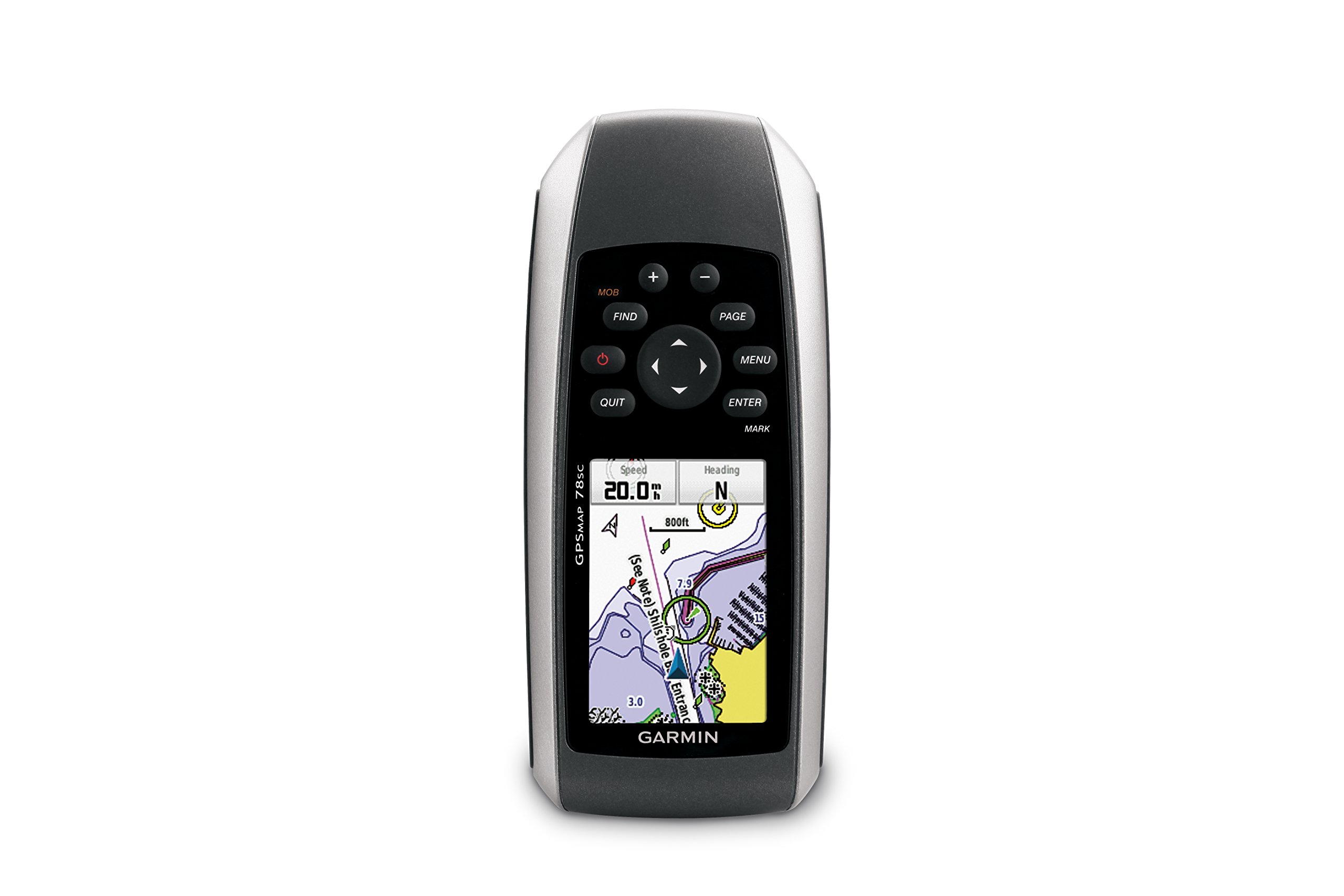
Hình 1: Mặt trước view of the Garmin GPSMAP 78sc handheld marine GPS and chartplotter.
Sản phẩm trênview
Các tính năng chính:
- Marine-friendly handheld with high-sensitivity GPS receiver and 2.6-inch color TFT display.
- Waterproof to IPX7 standards; floats in water.
- Built-in BlueChart g2 U.S./Bahamas coastal charts with shorelines, depth contours, navaids, harbors, marinas, and more.
- Built-in 3-axis tilt-compensated electronic compass and barometric altimeter for heading, altitude, and weather information.
- Wireless sharing of waypoints, tracks, routes, and geocaches with other compatible devices.
Có gì trong hộp:
- GPSMAP 78sc device
- Dây đeo cổ tay
- Cáp USB
- Thủ công

Hình 2: Góc cạnh view of the Garmin GPSMAP 78sc, highlighting its button interface.
Video sản phẩm:
Garmin GPSmap 78 handheld GPS Overview
Video này cung cấp một cái nhìn tổng quátview of the Garmin GPSMAP 78 handheld GPS, demonstrating its features and design.
Sản phẩm trênview Băng hình
A concise product overview video from the seller, highlighting key aspects of the device.
Cài đặt
1. Lắp pin:
The GPSMAP 78sc operates on two AA batteries (not included). To install:
- Xác định vị trí nắp ngăn chứa pin ở mặt sau của thiết bị.
- Xoay vòng chữ D ngược chiều kim đồng hồ để mở khóa và tháo nắp.
- Lắp hai pin AA, đảm bảo lắp đúng cực (+ và -).
- Đậy nắp lại và xoay vòng chữ D theo chiều kim đồng hồ để cố định.

Hình 3: Quay lại view of the Garmin GPSMAP 78sc, illustrating the battery compartment.
2. Bật/Tắt nguồn:
Nhấn và giữ Quyền lực button (located on the left side) to turn the device on or off. A short press will adjust the backlight.
3. Cài đặt ban đầu:
Upon first use, the device may prompt you to set language, time zone, and other preferences. Follow the on-screen instructions using the directional pad and ĐI VÀO cái nút.
Hoạt động
Navigation Basics:
- Menu chính: Nhấn nút THỰC ĐƠN button twice to access the main menu.
- Nút trang: Nhấn TRANG to cycle through the main pages (Map, Compass, Trip Computer, etc.).
- Bàn phím định hướng: Use the directional pad to scroll through menus, pan the map, or adjust settings.
- Nút NHẬP: Nhấn ĐI VÀO to select an item or confirm an action.
- QUIT Button: Nhấn TỪ BỎ to return to the previous page or cancel an action.
Tạo điểm tham chiếu:
To mark your current location as a waypoint:
- Nhấn nút ĐÁNH DẤU cái nút.
- Edit the waypoint name, symbol, and coordinates if desired.
- Lựa chọn Xong or Cứu to store the waypoint.
Man Over Board (MOB) Function:
Trong trường hợp khẩn cấp, hãy nhấn nút ĐÁM ĐÔNG button to immediately mark the current location and initiate navigation back to that point. This feature is critical for safety in marine environments.
BẢO TRÌ
Vệ sinh thiết bị:
Lau thiết bị bằng vải dampened with a mild detergent solution. Dry thoroughly. Avoid using abrasive cleaners or solvents that could damage the device's finish or screen.
Chăm sóc pin:
Always use fresh, high-quality AA batteries. If the device will not be used for an extended period, remove the batteries to prevent leakage and corrosion.
Cập nhật phần mềm:
Kiểm tra Garmin định kỳ. website for software updates to ensure optimal performance and access to the latest features. Updates can typically be installed by connecting the device to a computer via the USB cable.
Xử lý sự cố
Thiết bị không bật nguồn:
- Đảm bảo pin được lắp đúng cách và sạc đầy.
- Hãy thử thay pin mới.
- Kiểm tra xem các điểm tiếp xúc của pin có bị ăn mòn không.
Tín hiệu GPS yếu:
- Đảm bảo thiết bị rõ ràng view của bầu trời.
- Avoid areas with tall buildings, dense foliage, or other obstructions.
- Allow sufficient time for the device to acquire satellites, especially after being off for a long period.
Màn hình không phản hồi:
- Perform a soft reset by removing and reinserting the batteries.
- Đảm bảo màn hình sạch sẽ và không có mảnh vụn nào.
Thông số kỹ thuật
| Tính năng | Chi tiết |
|---|---|
| Thương hiệu | Thiết bị định vị Garmin |
| Tên mẫu | bản đồ gps |
| Số hiệu mẫu | 010-00864-02 |
| Kích thước màn hình | 2.6 inch |
| Kiểu hiển thị | Màn hình tinh thể lỏng |
| Nghị quyết | 160 x 240 pixel |
| Xếp hạng chống thấm nước | IPX7 (floats) |
| Tuổi thọ pin | 20 Hours (typical) |
| Loại pin | 2 pin AA (không bao gồm) |
| Dung lượng lưu trữ bộ nhớ | 1GB |
| Compatible Flash Memory Type | thẻ nhớ microSD |
| Hệ thống định vị vệ tinh được hỗ trợ | GPS |
| Tính năng đặc biệt | Rugged case, Barometric altimeter, Garmin Connect compatible, Electromagnetic compass, Garmin HotFix, Custom POIs, Automatic routing, Hunt/fish calendar, Geocaching, Photo navigation |
| Kích thước sản phẩm Dài x Rộng x Cao | Dài 2.6" x Rộng 1.2" x Cao 6" |
| Trọng lượng sản phẩm | 7.7 Ounce |
Bảo hành và Hỗ trợ
The Garmin GPSMAP 78sc comes with a 1 Year Limited Warranty. For detailed warranty information, product support, or service inquiries, please refer to the official Garmin website or contact Garmin customer service directly. The included manual also contains contact information and further support resources.